4-6
CHAPTER 4 TROUBLESHOOTING MALFUNCTIONS
11. (paper feeding normally)
12. (at time of jam)
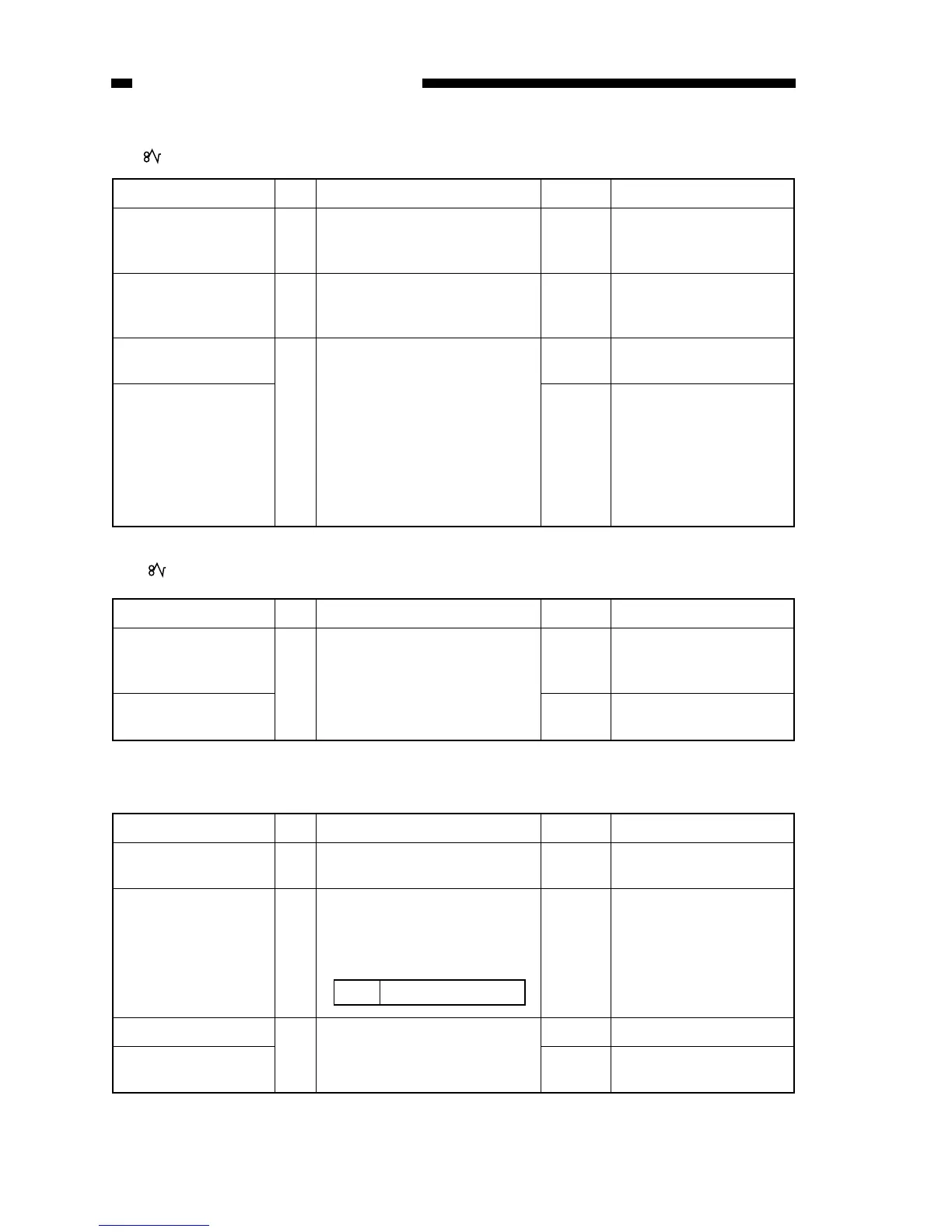
13. The fixing heater fails to operate.
Cause Step Checks YES/NO Remedies
Copy paper 1 Are there pieces of copy paper in
the delivery assembly or pick-up
assembly?
YES Remove the pieces of
paper.
Sensor lever 2 Is the movement of the delivery
sensor and pick-up sensor levers
smooth?
NO Correct the movement.
Delivery sensor PCB
(Q801)
3 Replace the delivery sensor
PCB. Does the copier operate
normally?
YES End.
DC controller/DC
power supply PCB
NO Check the wiring from the
control panel PCB to the
DC controller/DC power
supply PCB; if normal,
replace the DC
controller/DC power
supply PCB.
Cause Step Checks YES/NO Remedies
Control panel PCB 1 Replace the control panel PCB.
Does the indicator go ON?
YES End.
DC controller/DC
power supply PCB
NO Replace the DC controller/
DC power supply PCB.
Cause Step Checks YES/NO Remedies
Heater (H1),
Thermal fuse (FU2)
1 Is continuity present between
terminals of the heater?
NO Replace the fixing
assembly.
Thermistor
(TH1, TH2)
2 Is the resistance between the
following terminals on the control
panel PCB 0Ω or about 1.3 MΩ?
YES Replace the fixing
assembly.
TH1 J603-1 ↔ J603-2
Fixing assembly 3 Replace the fixing assembly.
Is the problem corrected?
YES End.
DC controller/DC
power supply PCB
Replace the DC controller/
DC power supply PCB.
NO



 To Next Page