EasyManua.ls Logo

Canon PC420 - Checking for Jams

Canon PC420
306 pages
Print Icon
To Next Page IconTo Next Page
To Previous Page IconTo Previous Page
Loading...
COPYRIGHT © 1998 CANON INC. CANON PC400/420/430,FC200/220 REV.0 JAN.1998 PRINTED IN JAPAN (IMPRIME AU JAPON)
5-6
CHAPTER 5 PICK-UP/FEEDING SYSTEM
IV. CHECKING FOR JAMS
The copier has a pick-up sensor (Q131) and a delivery sensor (Q801) to check if the
paper is moving properly inside it.
Jams are identified by the presence of paper in the pick-up or delivery assembly at
such times as preprogrammed in the microprocessor.
When the microprocessor identifies a jam, it immediately causes the main motor to
go OFF and indicates the presence of a jam.
The microprocessor identifies the following conditions as jams.
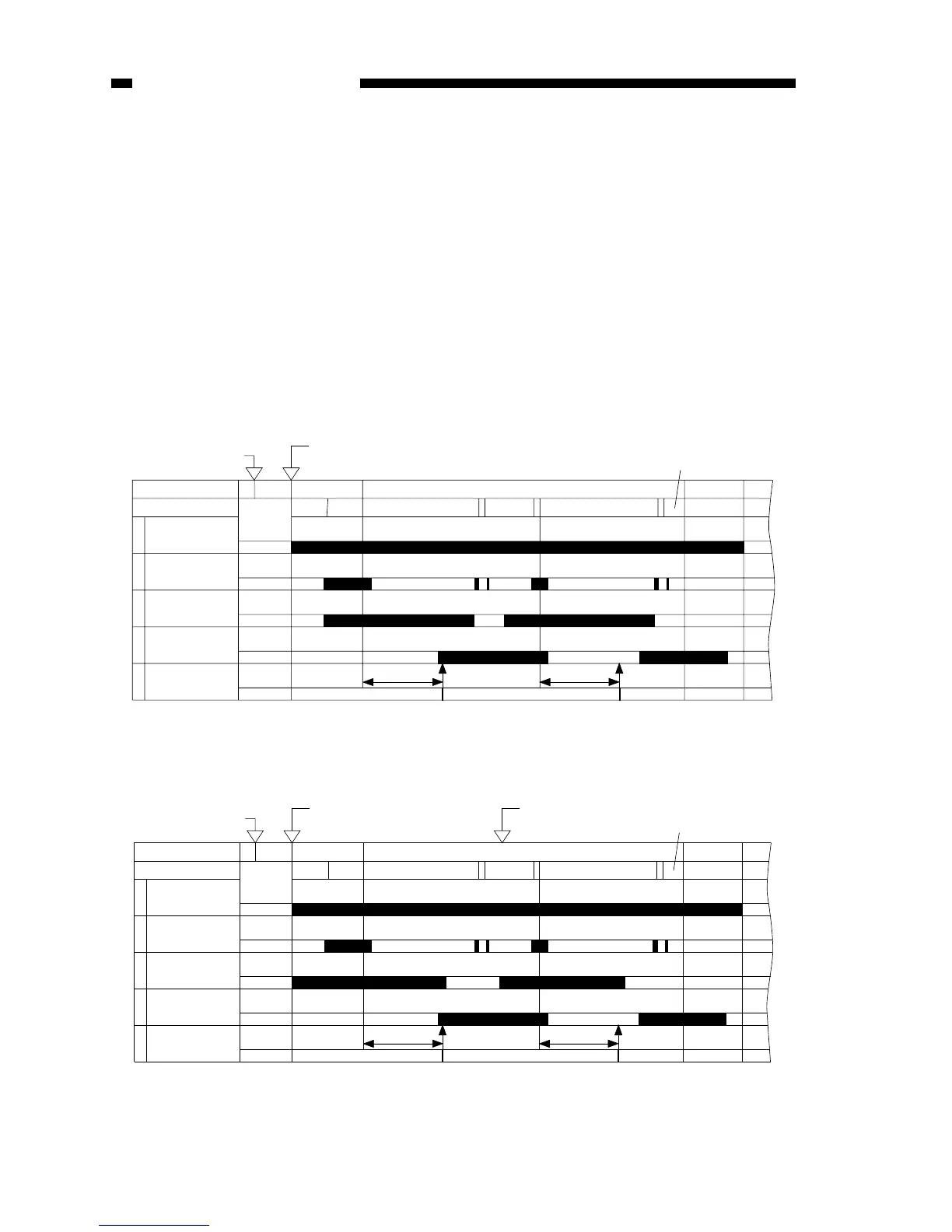
A. Delivery Delay Jam
The copy paper does not reach the delivery sensor within a specific period of time.
1. PC420/430/FC220

Sequence
Copyboard
1
2
3
4
5
STBY INTR
CBRV STOP
COPY
CBFW CBRV CBFW
CBRV
STOP
LSTR
STBY
Power switch ON
Main motor
(M1)
Copyboard posi-
tion sensor (Q902)
Jam check
Copy Start key ON
Pick-up sensor
(Q131)
Delivery sensor
(Q801)
8 sec 8 sec
errornormal
Sequence
Copyboard
1
2
3
4
5
STBY INTR
CBRVSTOP
COPY
CBFW CBRV CBFW
CBRV
STOP
LSTR
STBY
Power switch ON
Main motor
(M1)
Copyboard posi-
tion sensor (Q902)
Jam check
Copy paper inserted
Pick-up sensor
(Q131)
Delivery sensor
(Q801)
8 sec 8 sec
errornormal
Copy paper inserted
Figure 5-401A (A4)
2. PC400/FC200
Figure 5-402A (A4)

Table of Contents

Other manuals for Canon PC420

Related product manuals