COPYRIGHT © 1998 CANON INC. CANON PC400/420/430,FC200/220 REV.0 JAN.1998 PRINTED IN JAPAN (IMPRIME AU JAPON)
3-2
CHAPTER 3 EXPOSURE SYSTEM
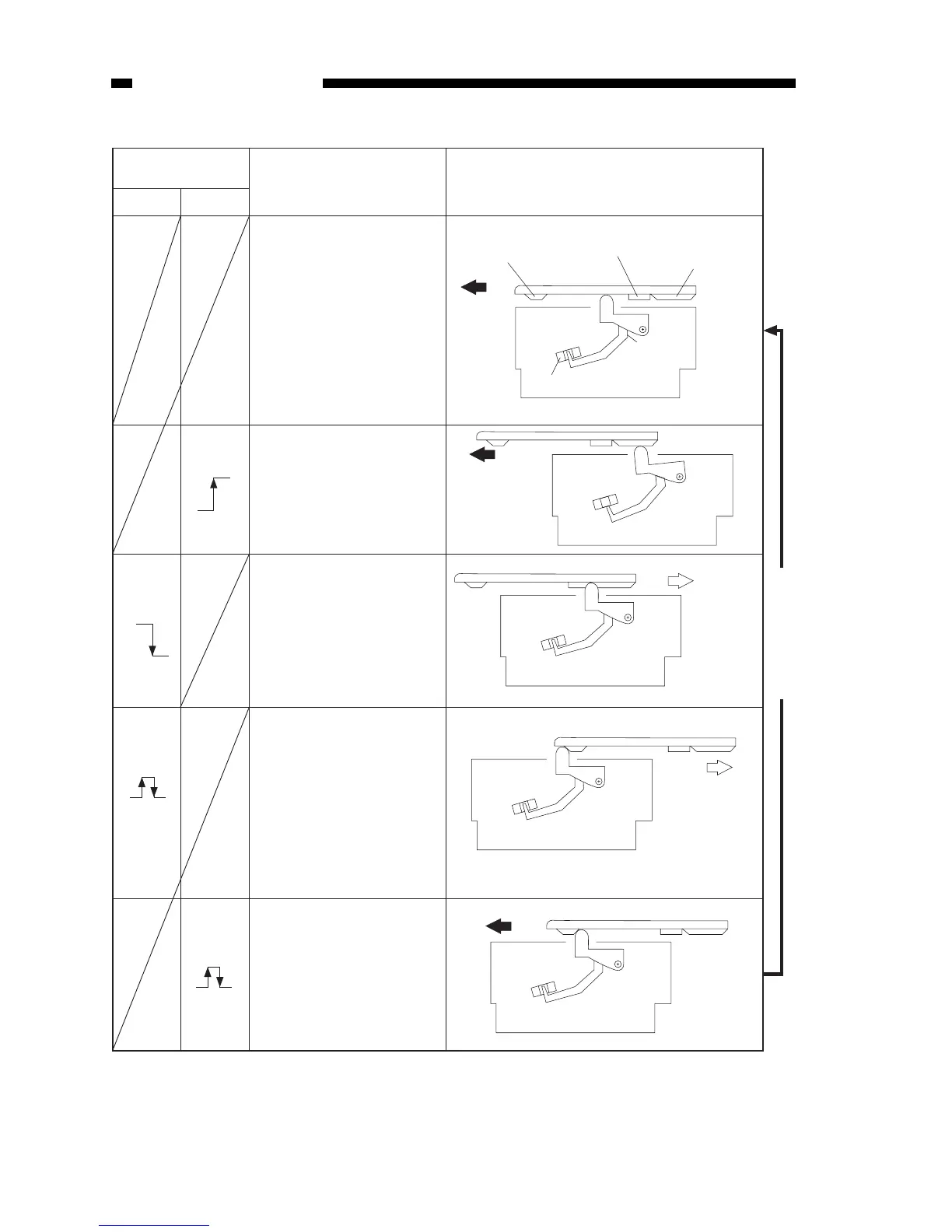
Copyboard posi-
tion sensor (Q902)
Forward Reverse
Description Copyboard position (cams)
Q902:ON
Forward
Q902:OFF
Q902:ON OFF➞
Q902:ON OFF➞
Reversal cam
Registration cam
Start position cam
Copyboard
position sensor
lever
Copyboard position sensor (Q902): OFF
(front view)
Reverse
• Copyboard is at the home
position.
• Copyboard solenoid goes
ON in response to a press
on the Copy Start key or
insertion of copy paper.
• Copyboard is at the start
position.
• Copyboard drive solenoid
goes OFF.
• Scanning lamp ON.
• The copyboard drive
solenoid goes ON about
0.5 second after the Copy
Start key is pressed.
• AE measurement starts.
• Registration roller goes
ON (by registration cam).
• Copyboard is at the reversal
position.
• Copyboard drive solenoid
goes OFF.
• After a specific period,
copyboard drive solenoid
goes ON.
• Pick-up solenoid goes ON
(continuous copying).
• Scanning lamp OFF.
• For the last copy, the copy
board drive solenoid goes
OFF at the copyboard
home position.
Continuous copying



 To Next Page