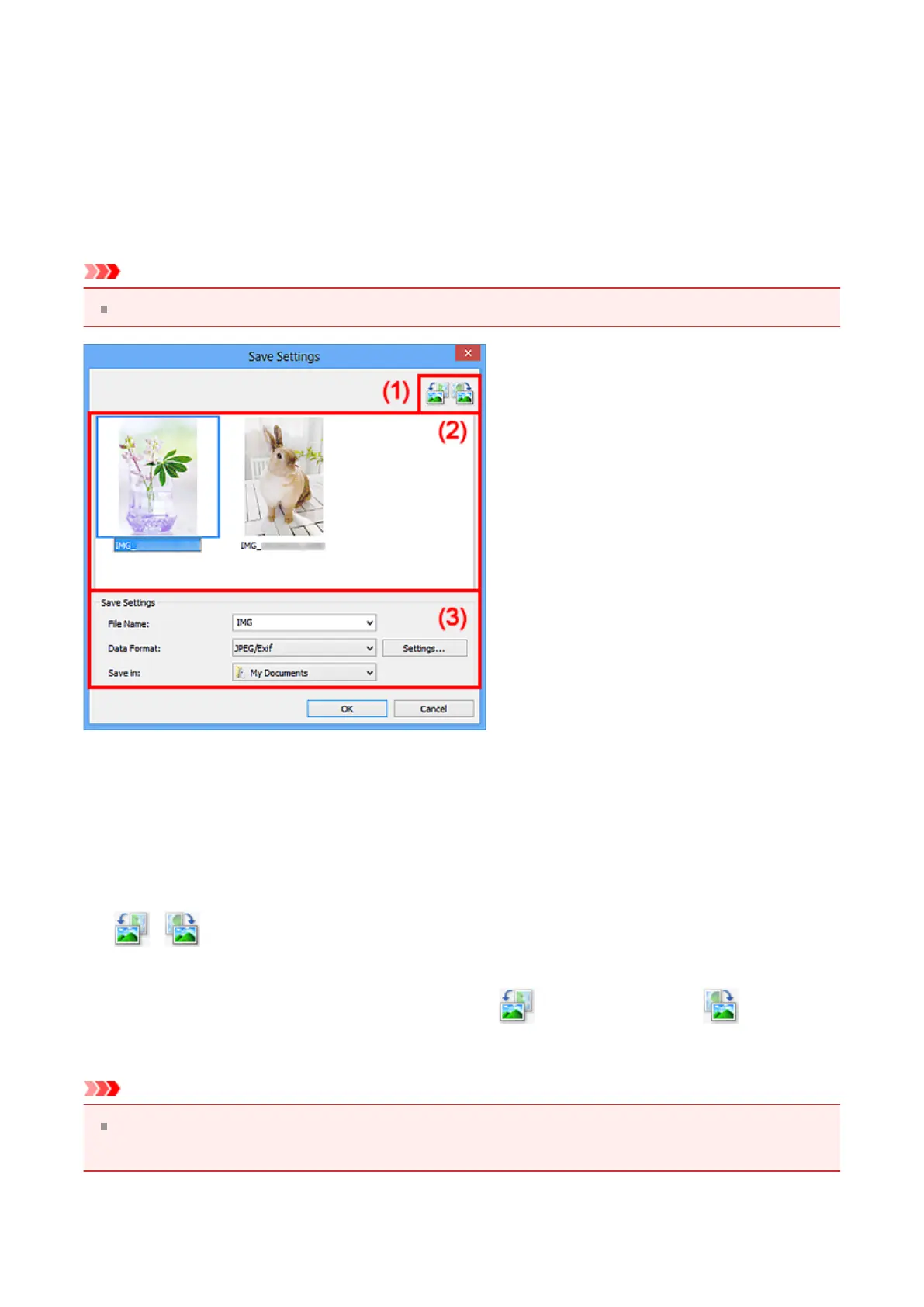
Save Settings Dialog Box
Select the Check scan results checkbox in Save Settings of the Settings dialog box to
display the Save Settings dialog box after scanning.
You can specify the data format and destination while viewing the thumbnails of scan
results.
Important
After scanning from My Image Garden, the Save Settings dialog box does not appear.
(1) Preview Operation Buttons
(2) Scan Results Area
(3) Save Settings Area
(1) Preview Operation Buttons
• / (Rotate Left 90°)/(Rotate Right 90°)
Rotates scanned images 90 degrees counter-clockwise or clockwise.
Select the image you want to rotate, then click (Rotate Left 90°) or (Rotate
Right 90°).
Important
The preview operation buttons do not appear when the Enable large image scans
checkbox is selected in the Settings (ScanGear) dialog box.
337












 To Next Page