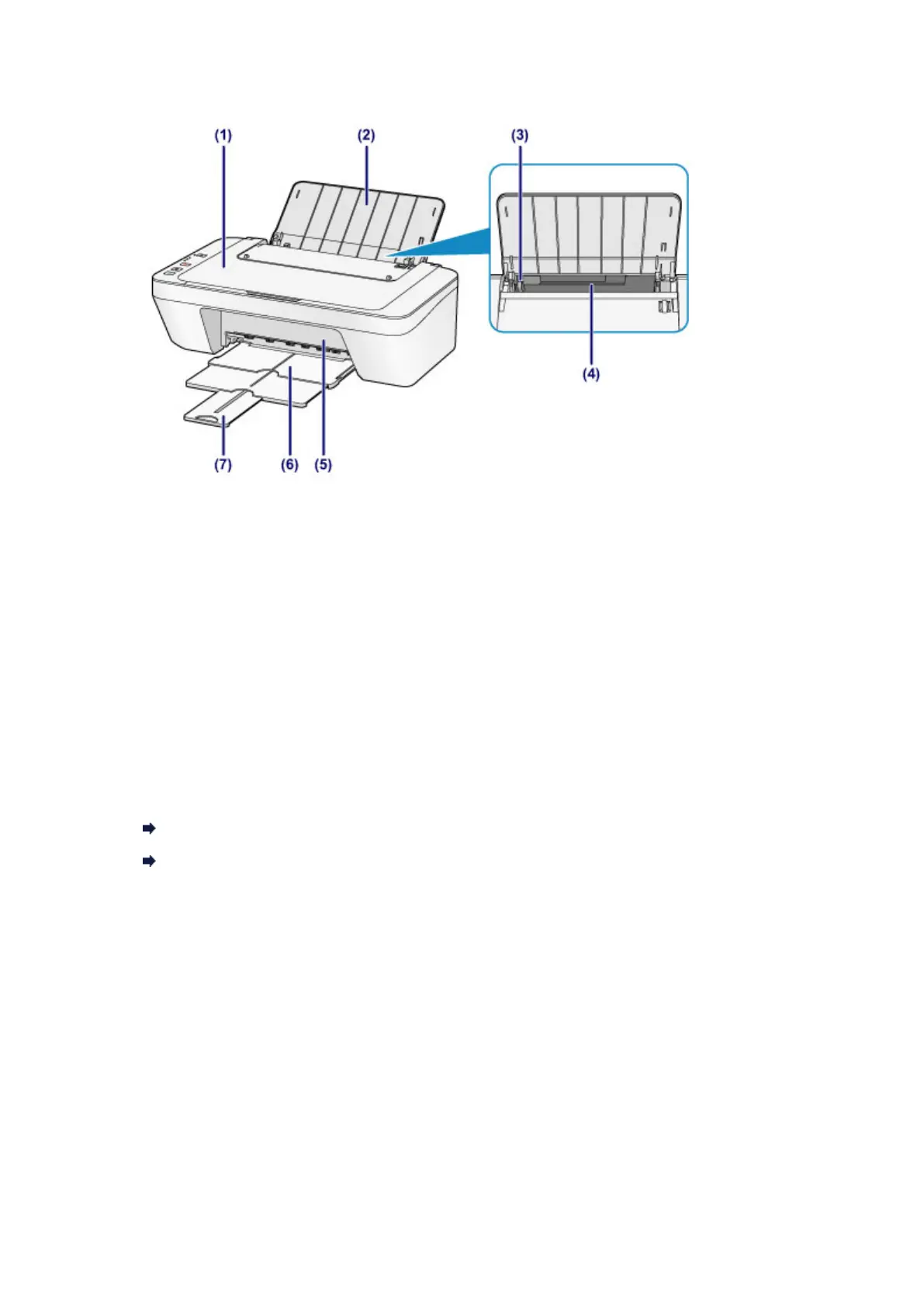
Front View
(1) document cover
Open to load an original on the platen glass.
(2) paper support
Open to load paper in the rear tray.
(3) paper guide
Slide to align with the left side of the paper stack.
(4) rear tray
Load various sizes or types of paper which you can use on the machine. Two or
more sheets of the same size and type of paper can be loaded at the same time,
and fed automatically one sheet at a time.
Loading Plain Paper / Photo Paper
Loading Envelopes
(5) cover
Open to replace the FINE cartridge or remove jammed paper inside the machine.
(6) paper output tray
Printed paper is ejected. Pull out it before printing.
(7) output tray extension
Extend to support ejected paper. Extend it when printing.
29












 To Next Page