10
10-B
11
1
2
10-A
3
1
2
Disable
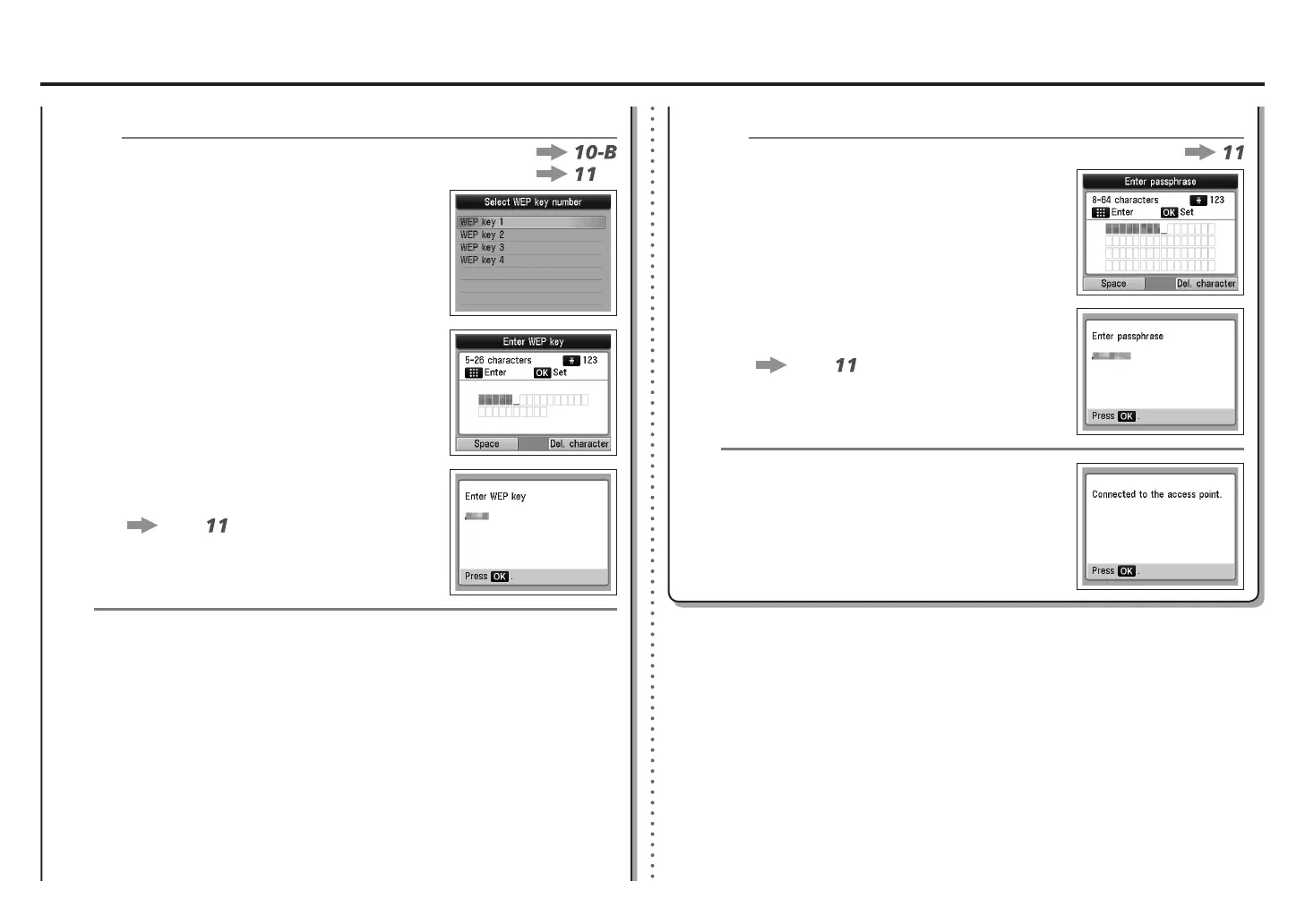
Make sure that the network key is correct, then
press the OK button.
Go to
.
Enter the network key, then press the OK
button.
Enter upper and lower case letters of the alphabet
correctly. Letters are case sensitive.
•
When the completion screen appears, press the OK
button.
The Setup menu screen returns. Press the COPY
button.
WPA/WPA2WEP
WPA/WPA2
Make sure that the network key is correct, then
press the OK button.
Go to
.
Enter the network key, then press the OK
button.
Enter upper and lower case letters of the alphabet
correctly. Letters are case sensitive.
•
Select the WEP key number you want to use,
then press the OK button.
When using AirPort, select WEP key 1 in the
screen. Selecting other key numbers will disable the
connection between the machine and AirPort.
•
Disable









 To Next Page