2
Check
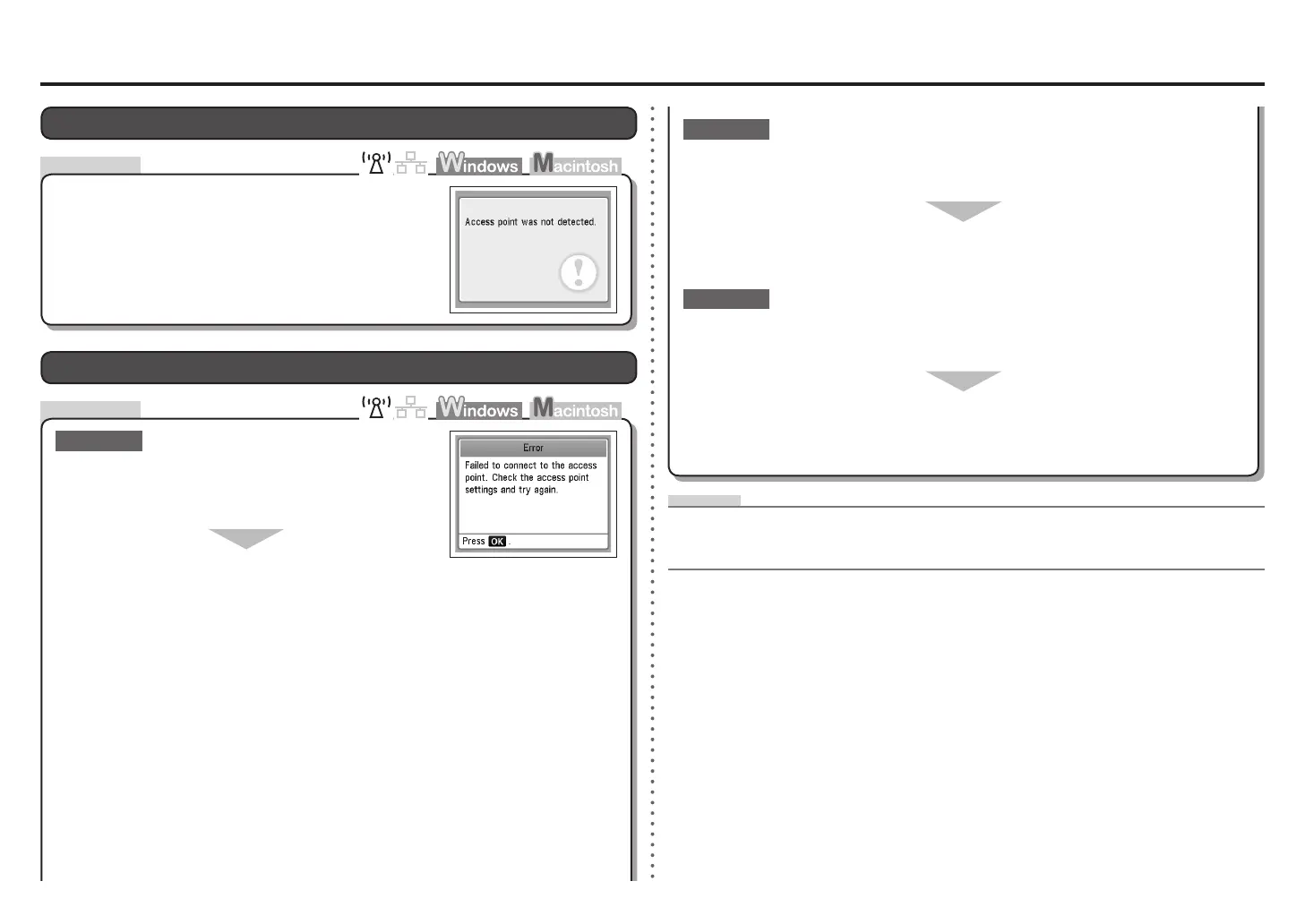
Access point was not detected. is Displayed
The message appears when no access point is found.
Refer to "The Target Access Point is Not Displayed
(Detected)" on page 1.
Check
Failed to connect to the access point. is Displayed
Check 1
Is WEP key number 2, 3 or 4 of the access point in use?
For details on how to check the WEP key number of the access
point, refer to the manual supplied with the access point or
contact its manufacturer.
•
Set to use WEP key number 1 of the access point, or select
a WEP key number by entering wireless connection settings
of the machine directly.
For details on how to change the WEP key number of the access point, refer to the manual
supplied with the access point or contact its manufacturer.
•
For details on how to select a WEP key number by entering wireless connection settings of the
machine directly, refer to "Entering the Access Point's Wireless LAN Settings Directly on the
Machine" on page 9.
•
Glossary
DHCP function•
A function to automatically assign required information (IP address, etc.) to computers, printers or other
devices connected to the network.
Are you using an access point that automatically creates WEP keys?
Check the WEP key (hexadecimal) created automatically on the access point, then enter
it on the machine.
For details on how to check the WEP key of the access point, refer to the manual supplied with the
access point or contact its manufacturer.
•
Check 3
For details on the access point, refer to the manual supplied with the access point or contact its
manufacturer.
•
Check 2
Make sure that the DHCP function of the access point is active.
For details on how to check the settings of the access point, refer to the manual supplied with the
access point or contact its manufacturer.
•
Enable the DHCP function of the access point, then congure settings again.
For details on how to change the settings of the access point, refer to the manual supplied with the
access point or contact its manufacturer.
•









 To Next Page