4-3
4
Sending Faxes
One-Touch Speed Dialling
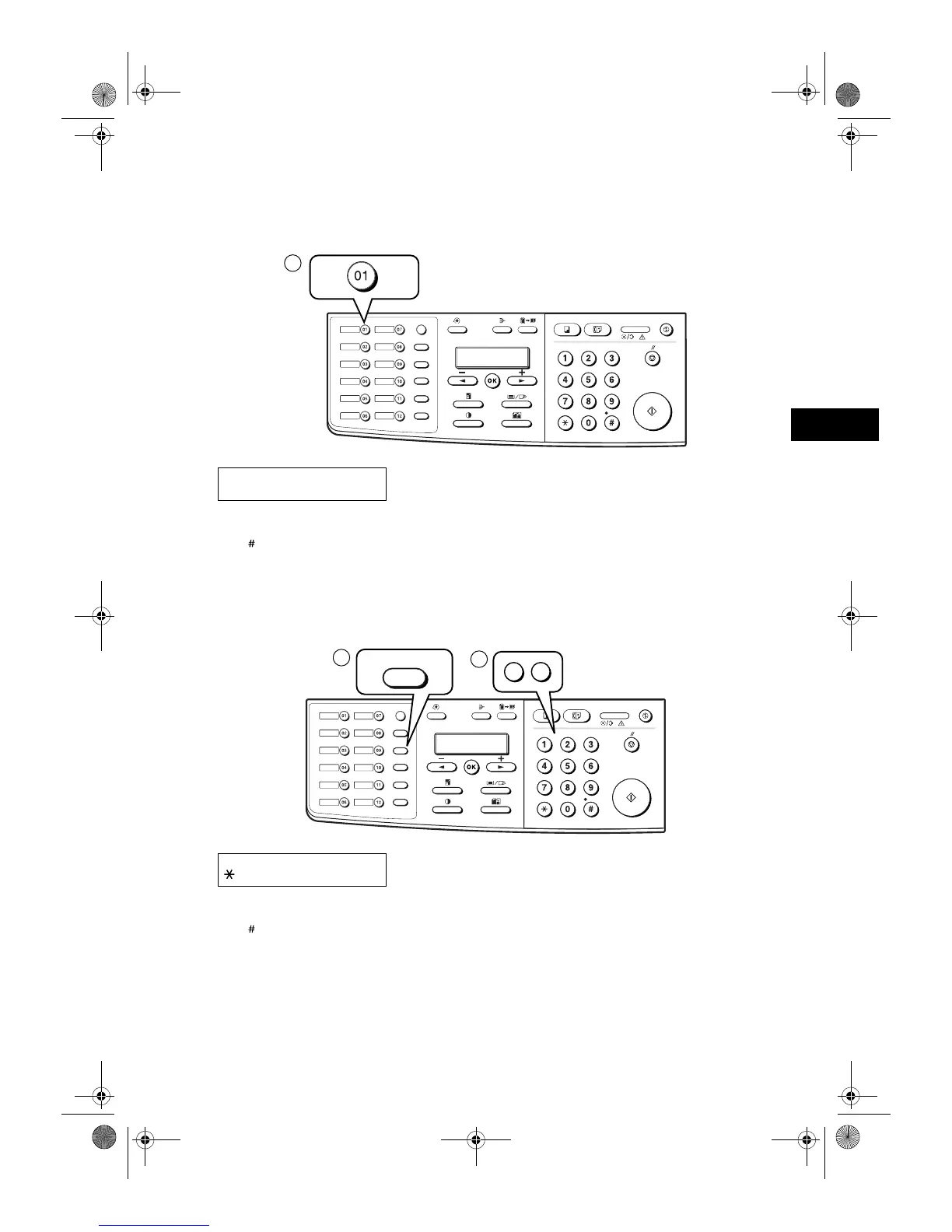
Dial a fax number by pressing the one-touch speed dialling key (01 to 12) to which the number is assigned.
Ex:
• The number registered under that one-touch speed dialling key is displayed.
• If you press the wrong key, press Stop/Reset, then press the correct key.
• NO TEL appears if no fax number is assigned to the one-touch speed dialling key you pressed.
Coded Speed Dialling
Dial a fax number by pressing Coded Dial followed by the two-digit code (00 to 99) to which the number is assigned.
Ex:
• The number registered under that coded speed dialling code is displayed.
• If you enter the wrong code, press Stop/Reset. Then press Coded Dial and enter the correct code.
• NO TEL appears if no fax number is assigned to the coded speed dialling code you entered.
Ex:
TEL= 905 795 1111
01 Canon CANADA
Ex:
TEL= 1 49 39 25 25
02 Canon FRANCE
Report
Memory
Reference
Fax Monitor
Delayed
Transmission
Book Sending
Clear
Delete
Space
Tone /
+
D.T.
R
Function
Redial / Pause
Coded Dial
Directory
Receive Mode
Fax Resolution
ABC DEF
GHI
JKL
MNO
PQRS
TUV WXYZ
1
Report
Memory
Reference
Fax Monitor
Delayed
Transmission
Book Sending
Clear
Delete
Space
Tone /
+
D.T.
R
Function
Redial / Pause
Coded Dial
Directory
Receive Mode
Fax Resolution
ABC DEF
GHI
JKL
MNO
PQRS
TUV WXYZ
Coded Dial
1
2
0
2
SB_PC1270D_FG_EN.book Page 3 Monday, February 18, 2002 12:20 PM



 To Next Page