EasyManua.ls Logo

Canon VM-E70 - CAMERA RECORDING; Recording Procedure Steps

Canon VM-E70
52 pages
Print Icon
To Next Page IconTo Next Page
To Previous Page IconTo Previous Page
Loading...
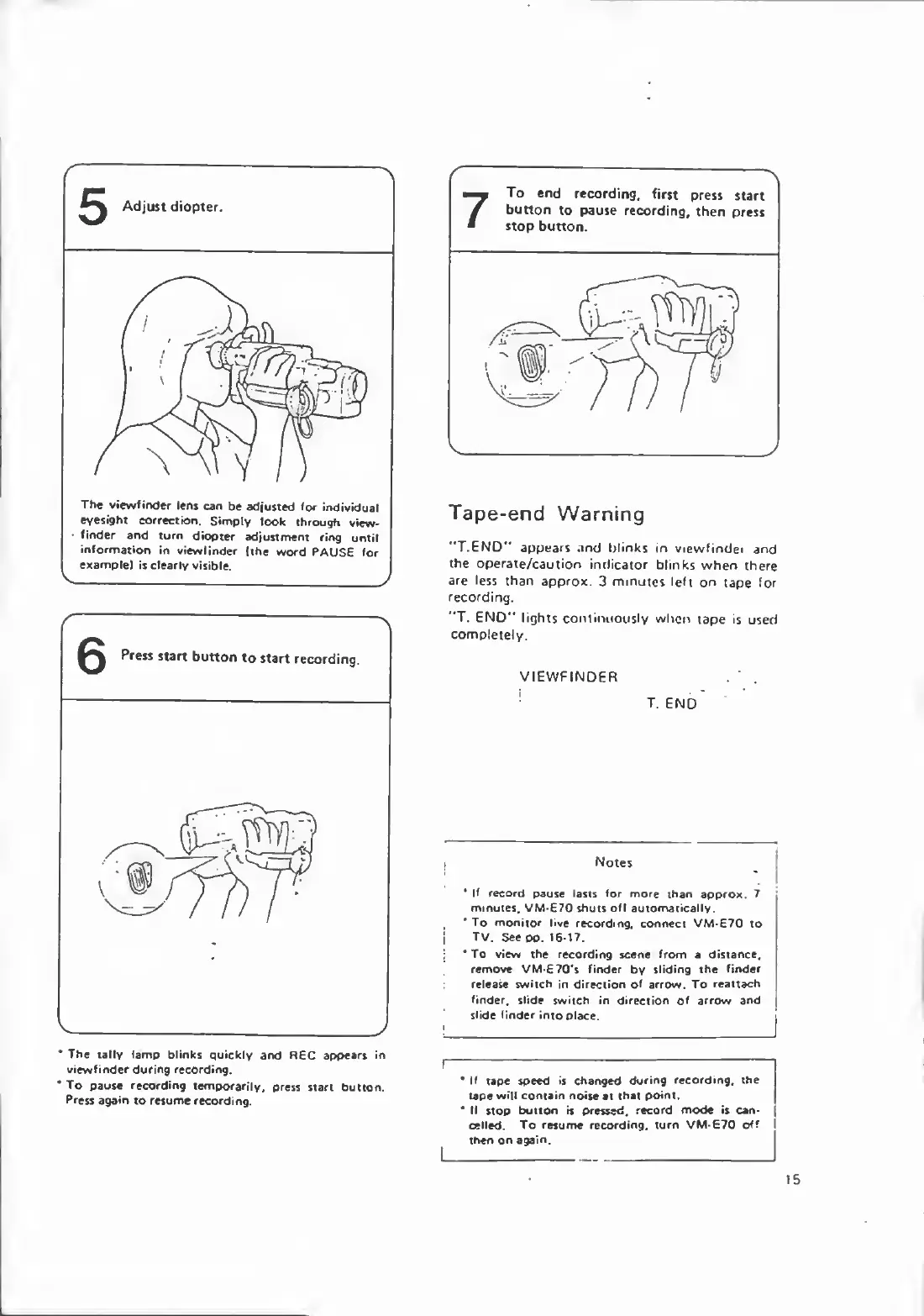
The
tally
lamp
blinks
quickly
and
REC
appears
in
viewfinder
during
recording.
•To
pause
recording
temporarily,
press
start
button.
Press
again
to
resume
recording.
7
To
end
recording,
first
press
start
button
to
pause
recording,
then
press
stop
button.
Tape-end
Warning
"TEND"
appears
and
blinks
in
viewfindei
and
the
operate/caution
indicator
blinks
when
there
are
less
than
approx.
3
minutes
left
on
tape
for
recording.
"T.
END"
lights
continuously
when
tape
is
used
completely.
VIEWFINDER
T.
END
Notes
*
If
record
pause
lasts
for
more
than
approx.
7
minutes,
VM-670
shuts
off
automatically.
*
To
monitor
live
recording,
connect
VM-E70
to
TV.
See
oo.
1617.
*To
view
the
recording
scene
from
a
distance,
remove
VM-£70's
finder
by
sliding
the
finder
release
switch
in
direction
of
arrow.
To
reattach
finder,
slide
switch
in
direction
of
arrow
and
slide
finder
into
place.
I
If
tape
speed
is
changed
during
recording,
the
|
tape
will
contain
noise
at
that
point.
*
If
stop
button
is
pressed,
record
mode
is
can¬
celled.
To
resume
recording,
turn
VM-E70
of?
I
then
on
again.
I_
15

Related product manuals