41
This is a connection mode available when using an access point
compatible with WPS. In PIN code connection mode (PIN mode), an 8-
digit identification number specified on the camera is set at the access
point to establish a connection.
Even if there are multiple access points active in the surrounding
area, a relatively reliable connection can be established using this
shared identification number.
It may take approx. one minute to establish a connection.
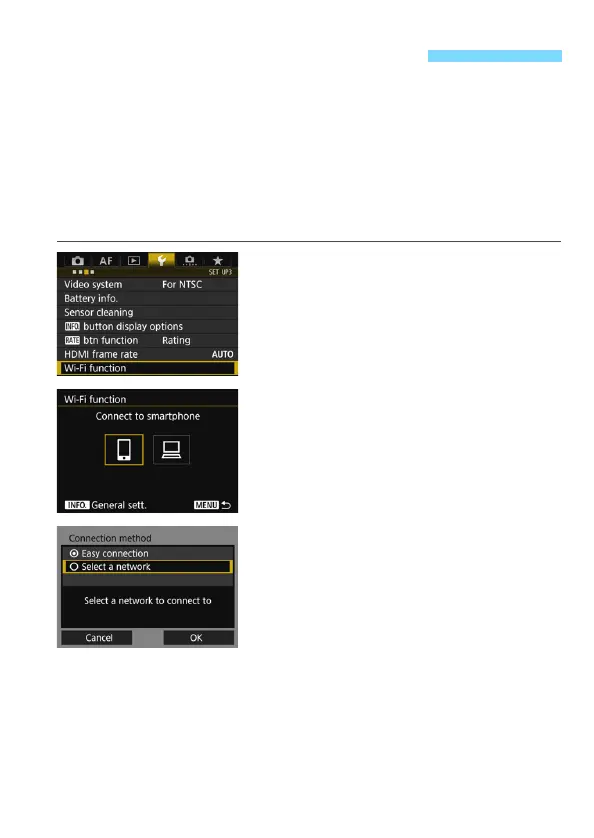
1
Select [Wi-Fi function].
Under the [53] tab, select [Wi-Fi
function], then press <0>.
2
Select an item.
Use <5> or <9> to select an item,
then press <0>.
3
Select [Select a network].
Select [OK] and press <0> to go to
the next screen.
Connecting via WPS (PIN Mode)



 To Next Page