71
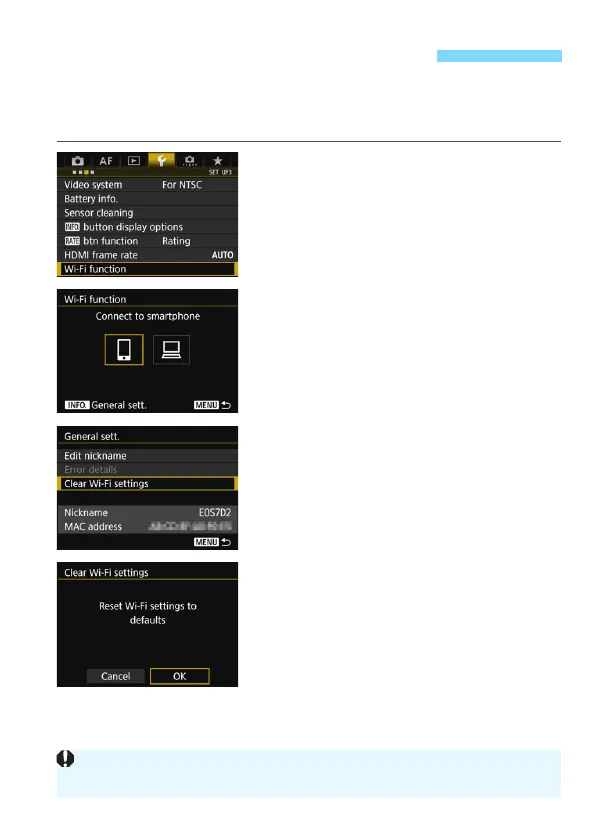
All Wi-Fi function settings can be deleted. By deleting the Wi-Fi function
settings, you can prevent them from being exposed when you lend or
give your W-E1 to other people.
1
Select [Wi-Fi function].
Under the [53] tab, select [Wi-Fi
function], then press <0>.
2
Press the <B> button.
The [General sett.] screen is
displayed.
3
Select [Clear Wi-Fi settings].
Select [Clear Wi-Fi settings], then
press <0>.
4
Select [OK].
Wi-Fi settings are cleared and the
menu screen will reappear.
Clearing Wi-Fi Function Settings
Performing [54: Clear all camera settings] does not clear settings to
defaults for [Wi-Fi function].



 To Next Page