66
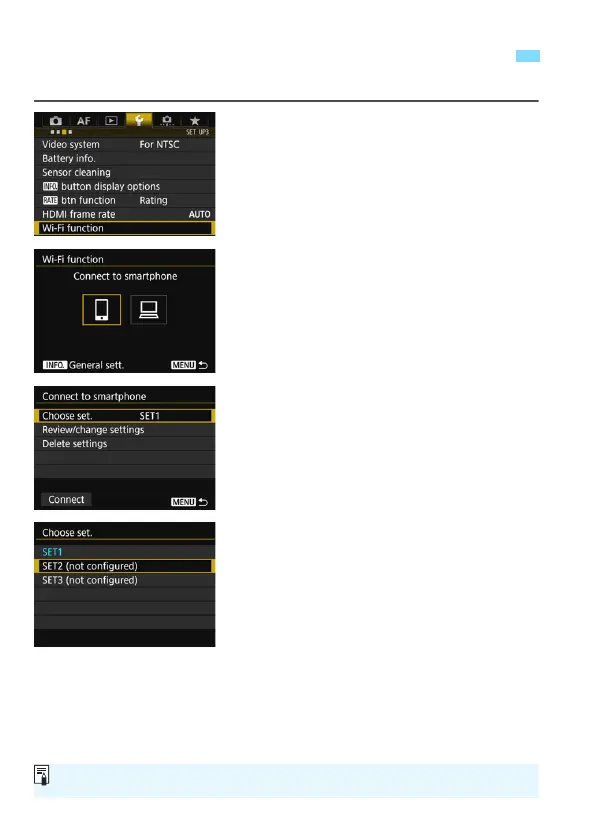
You can register up to three connection settings for each Wi-Fi function.
1
Select [Wi-Fi function].
Under the [53] tab, select [Wi-Fi
function], then press <0>.
2
Select the Wi-Fi function to
connect to.
Use <5> or <9> to select an item,
then press <0>.
3
Select [Choose set.].
4
Select [SET* (not configured)].
The connection settings screen is
displayed. Follow the procedures
displayed to complete the connection
settings.
Registering Multiple Connection Settings
To delete settings, see page 70.



 To Next Page