28
The camera and a computer can be directly connected wirelessly.
To establish a connection, operations on the computer are required.
For details, refer to the computer’s instruction manual.
The configuration procedure is as follows, using Windows 8.1 as an
example.
1
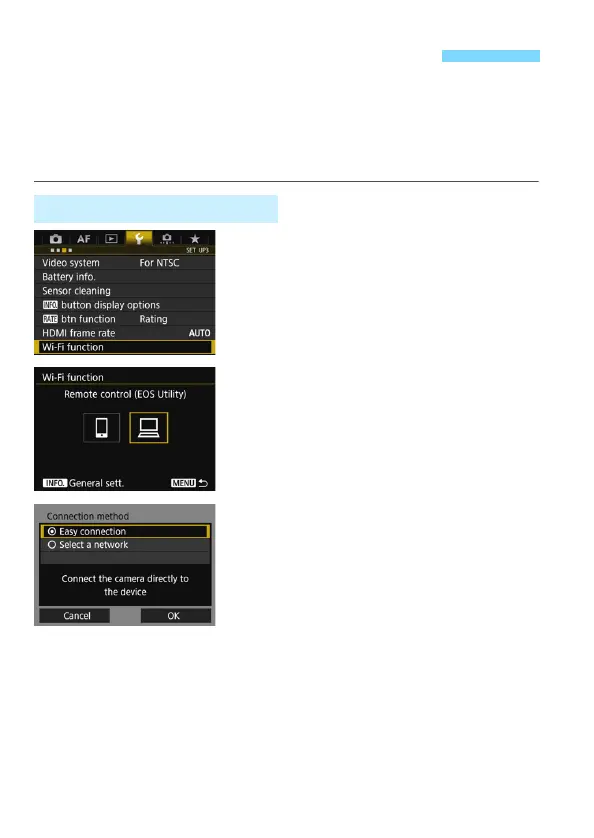
Select [Wi-Fi function].
Under the [53] tab, select [Wi-Fi
function], then press <0>.
2
Select [D] (Remote control (EOS
Utility)).
3
Select [Easy connection].
Select [OK] and press <0> to go to
the next screen.
Connecting with [Easy connection]
Operation on the Camera-1



 To Next Page