29
Connecting with [Easy connection]
4
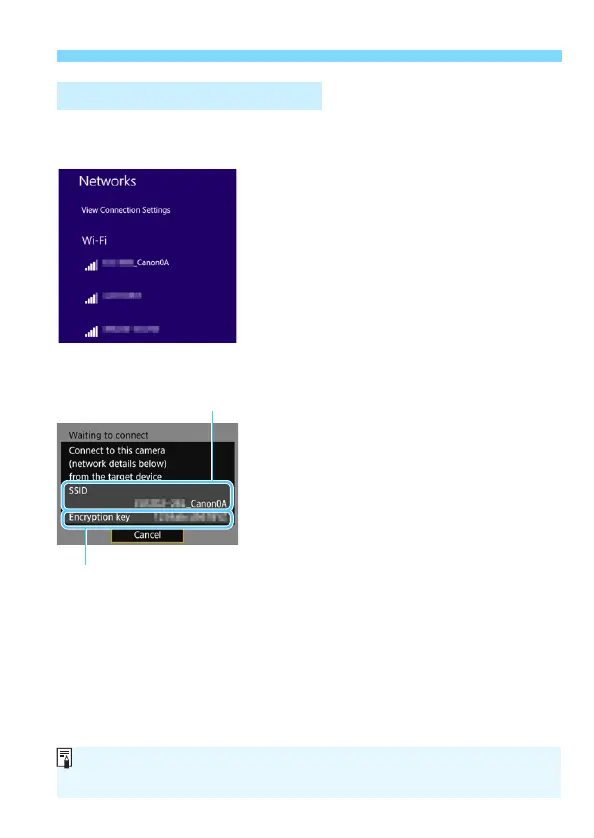
Operate the computer and
connect it to the camera.
In the wireless settings of the
computer to be used, select the SSID
(network name) displayed on the
camera’s LCD monitor.
For the password, enter the
encryption key displayed on the
camera’s LCD monitor.
Operation on the Computer-1
Encryption key (password)
Computer’s screen
(sample)
Camera’s screen
SSID (network name)
When connecting by selecting [Easy connection], “_Canon0A” is
displayed at the end of the SSID.



 To Next Page