30
Connecting with [Easy connection]
5
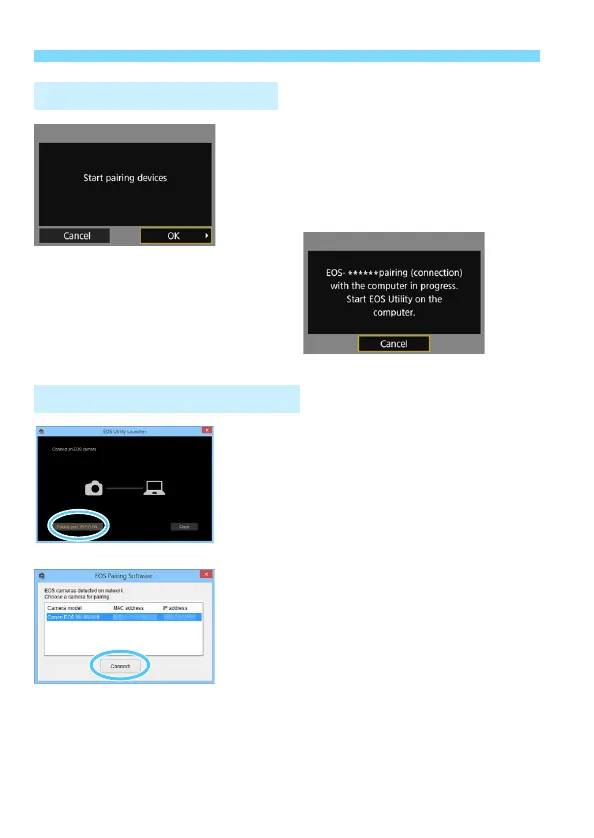
Select [OK].
Select [OK] and press <0>. The
following message is displayed.
“******” represents the last six digits of
the MAC address of the W-E1.
6
Start EOS Utility on the computer.
7
In EOS Utility, click [Pairing over
Wi-Fi/LAN].
If a firewall-related message is
displayed, select [Yes].
8
Click [Connect].
Select the camera to connect to, then
click [Connect].
Operation on the Camera-2
Operation on the Computer-2



 To Next Page