261
Using the Projector Selection Menu
Networked Multi-Projection Functions in All Modes
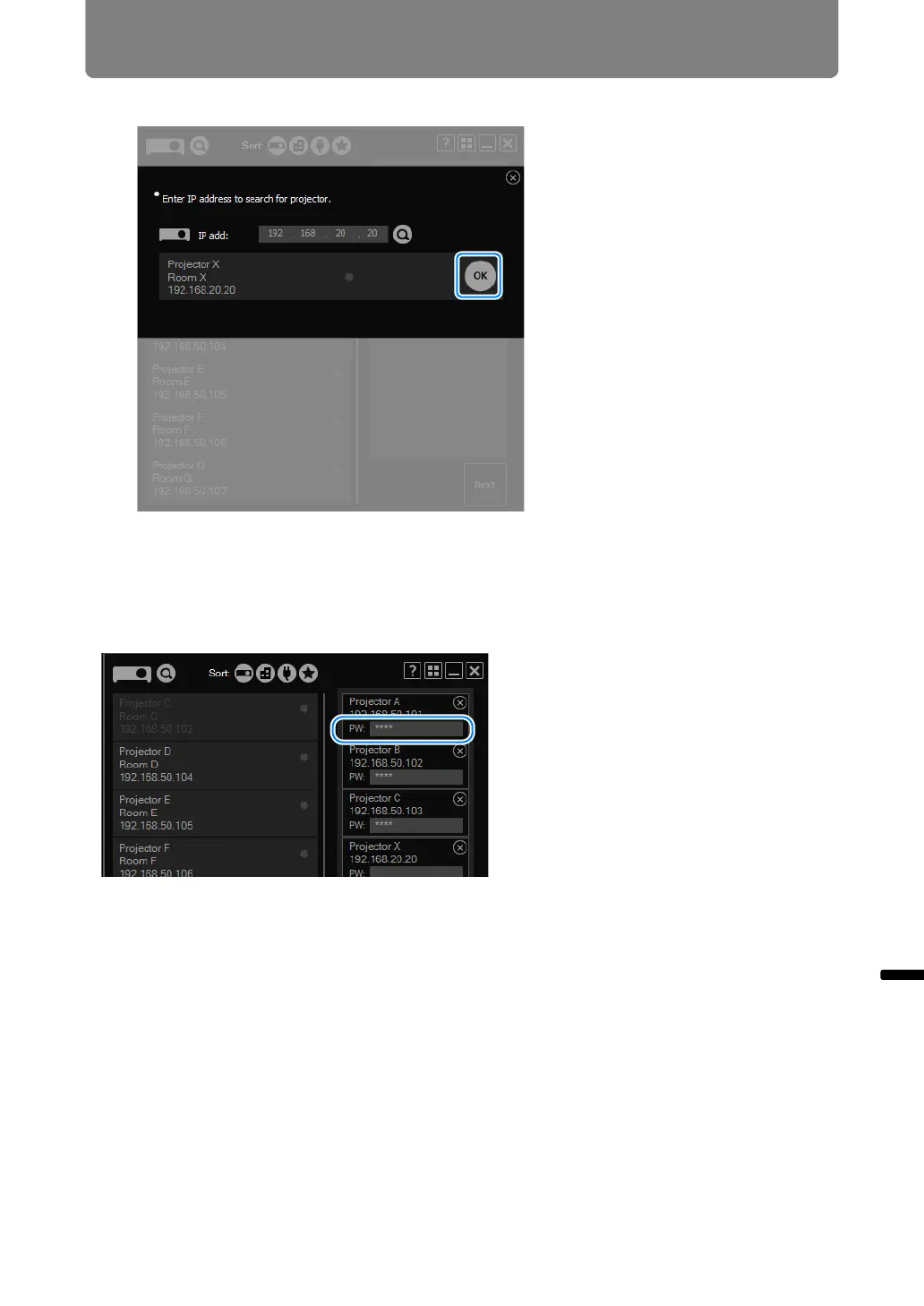
3 Once the projector is found, click [OK].
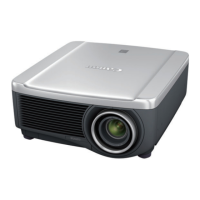
The selected projector is now added to the projector list.
■ Selecting Password-Protected Projectors
Selecting a password-protected projector will display a password input field. Enter
the password.



 To Next Page