MAP1 Page 25 of 31
Installation Manual June 2018 • Rev. 1.6
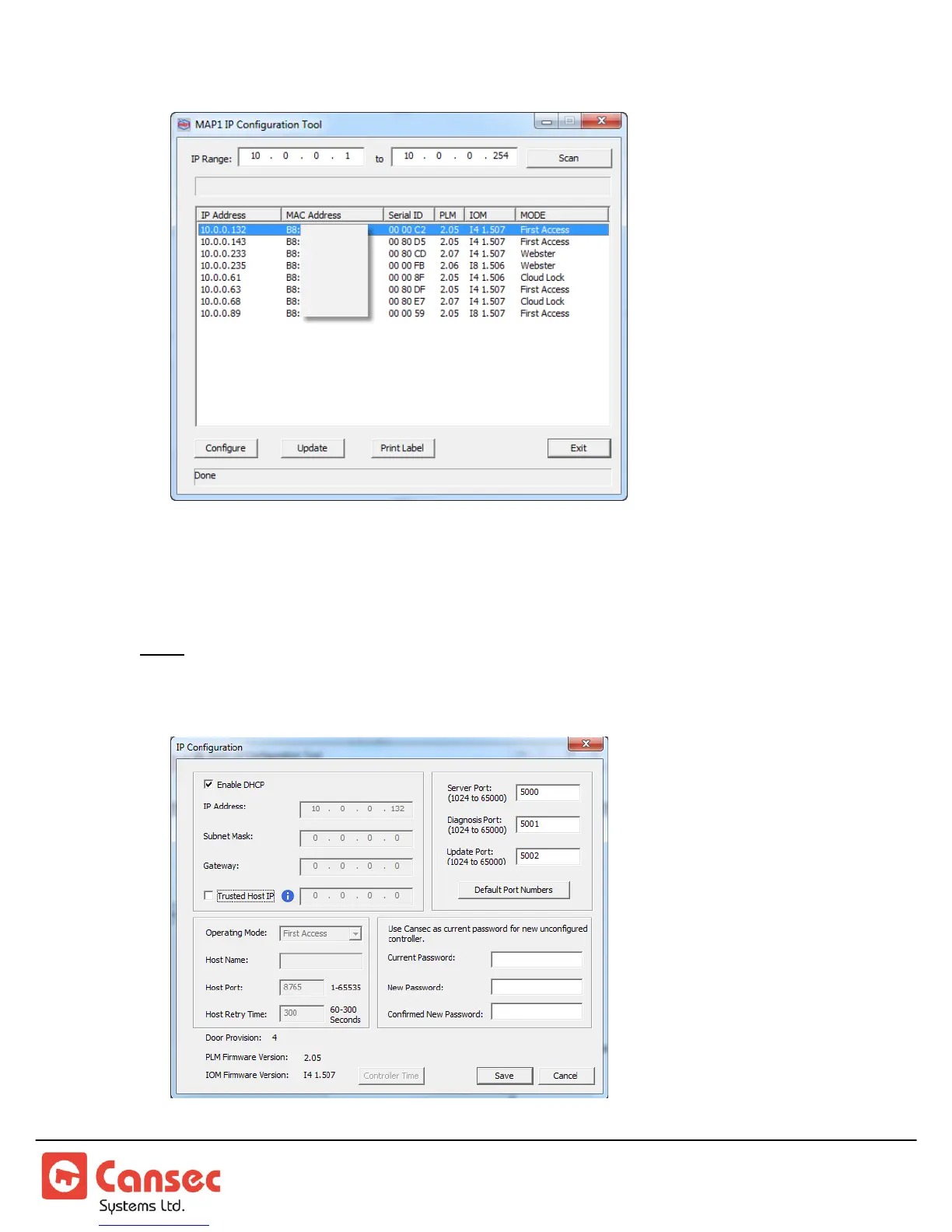
7. Double click on one of the detected panels or select it and click Configure.
8. Unselect Enable DHCP. Consult with IT personnel and enter the IP address,
Subnet Mask, Gateway IP Address and Port numbers.
Note: The optional Trusted Host IP (see Figure 18) instructs the panel to accept data
connection only from the host computer where the First Access software is installed.
Other connections for diagnosis and updating are not limited by this Trusted Host IP.



 To Next Page