MAP1 Page 26 of 31
Installation Manual June 2018 • Rev. 1.6
9. The factory default or current password for a new unconfigured MAP1 panel is
Cansec. The password must be changed to something else other than Cansec.
10. Click Save. The panel saves the new settings and reboots for the settings to take
effect.
USB IP CONFIGURATION TOOL
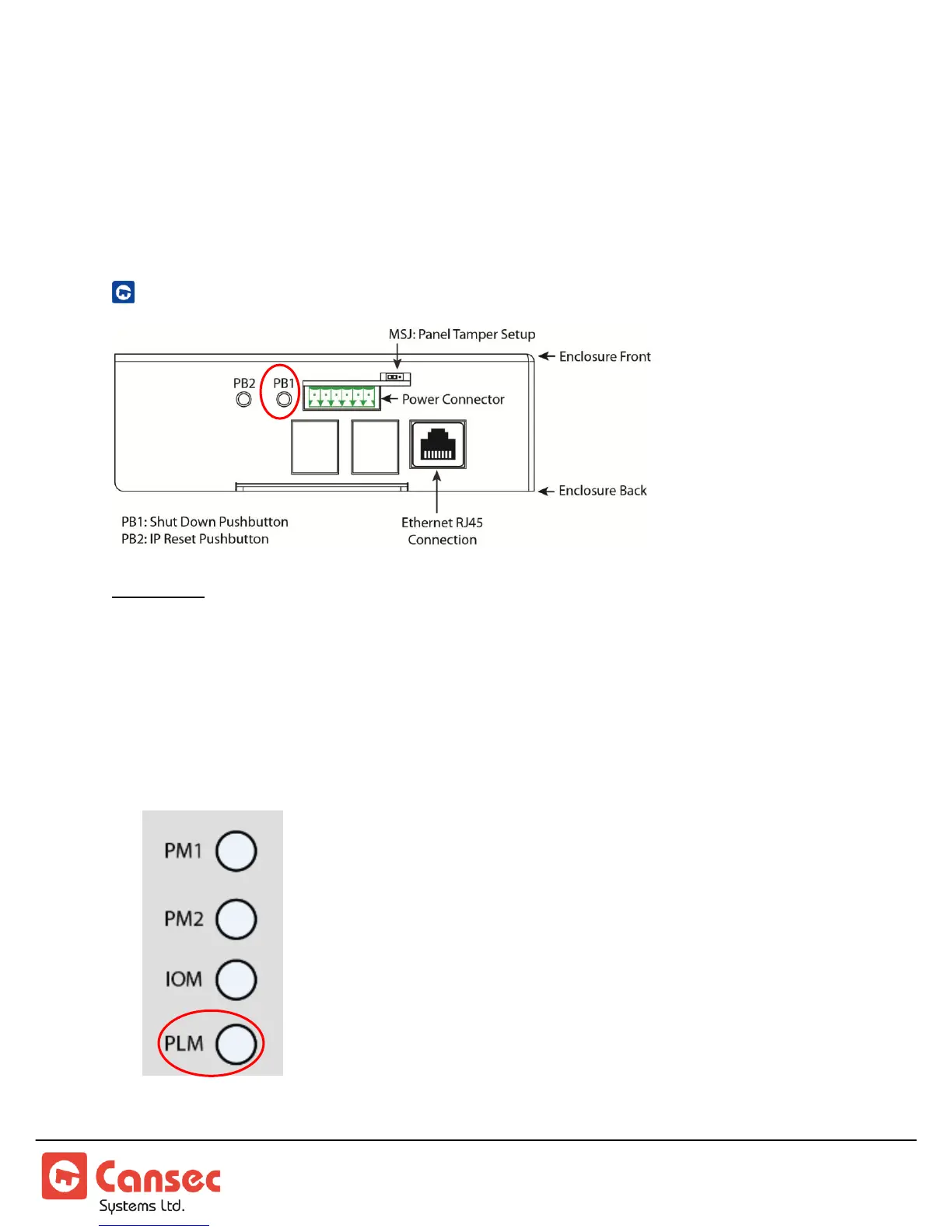
Important: Shutdown Push Button (PB1) must be used to avoid data corruption on the MAP1
controller.
1. If the MAP1 controller is powered on, press and hold the PB1 button for a period
of 5 to 8 seconds and proceed to step 2. Otherwise, proceed to step 4.
2. When the PLM LED on the front of the MAP1 controller begins a rapid flash,
release the Shutdown PB1 button.



 To Next Page