MAP1 Page 27 of 31
Installation Manual June 2018 • Rev. 1.6
3. Wait until the MAP1 does a complete shutdown, indicated by all MAP1 LEDs
going to the OFF state (except the Power LED), and unplug the power connector.
4. Insert a FAT32 formatted USB flash drive into an available USB connector on the
MAP1 controller.
5. Insert the power connector into the MAP1 controller. The unit will begin the
power up sequence which takes about 30 to 40 seconds. When complete, the
MAP1 controller will emit a series of beeps to indicate its mode e.g. First Access,
Cloud Lock or Webster.
6. Remove the USB flash drive from the MAP1 controller.
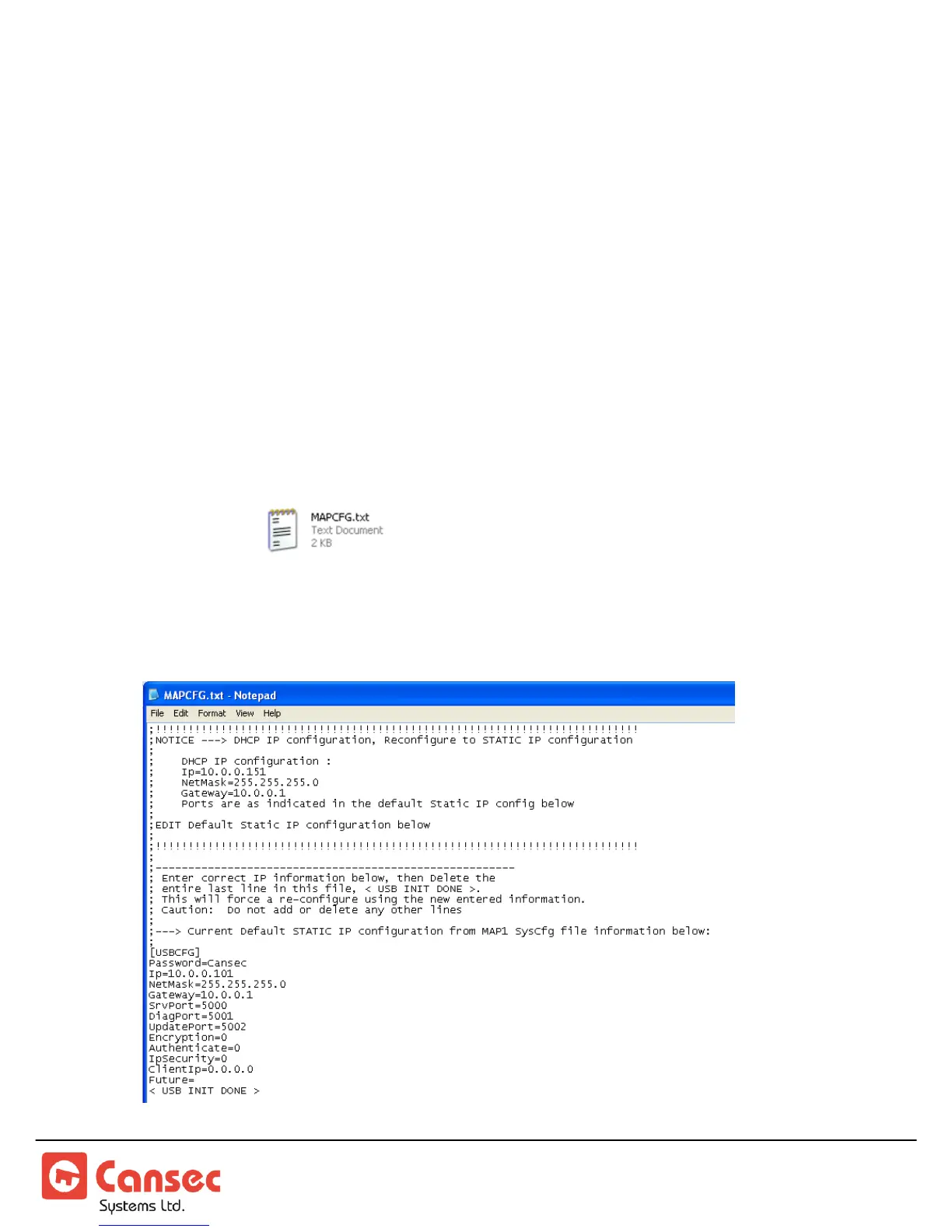
7. Insert the flash drive into a USB port on a computer. When ready, launch
Windows Explorer or File Explorer. Access the USB drive and edit the file named
MAPCFG.txt created by the MAP1 controller during boot-up
sequence. If the file is not present, repeat from step 1. Otherwise proceed to step 8.
8. A similar file will be displayed when opened in Notepad.



 To Next Page