MAP1 Page 8 of 31
Installation Manual June 2018 • Rev. 1.6
Important Installation Notes
Controller Provisioning Options:
The MAP1 controller is factory provisioned with default 2-door configuration running
in First Access mode (First Access software is needed – database stored on computer). The
Webster mode (Web based – database stored on panel and no software is needed) and the
Cloud Lock mode (Cloud based – database stored on cloud server) can be enabled with an
authorized provisioning file obtained from Cansec upon purchase. The MAP1 can run
only in one mode at a time and can also be provisioned in one of two options below.
1. Door controller with or without auxiliary input and output points
a. 2–door configuration: 2 lock relays, 2 multi-function relays, 2 REX/RTE, 2
door contacts/DPS, 4 input points and 4 output points.
OR
b. 4–door configuration: 4 lock relays, 4 multi-function relays, 4 REX/RTE, 4
door contacts/DPS, 0 input points and 0 output points.
2. Input and Output controller only. 8 input and 8 output points available. No
door combination i.e. no lock relay and no multi-function relay.
Electrical Information:
1. The MAP1 utilizes a mini-computer and must be operated using a battery
backed up power supply to protect the hardware, system files and data files
from corruption due to power outage. See Note 1 in Appendix section.
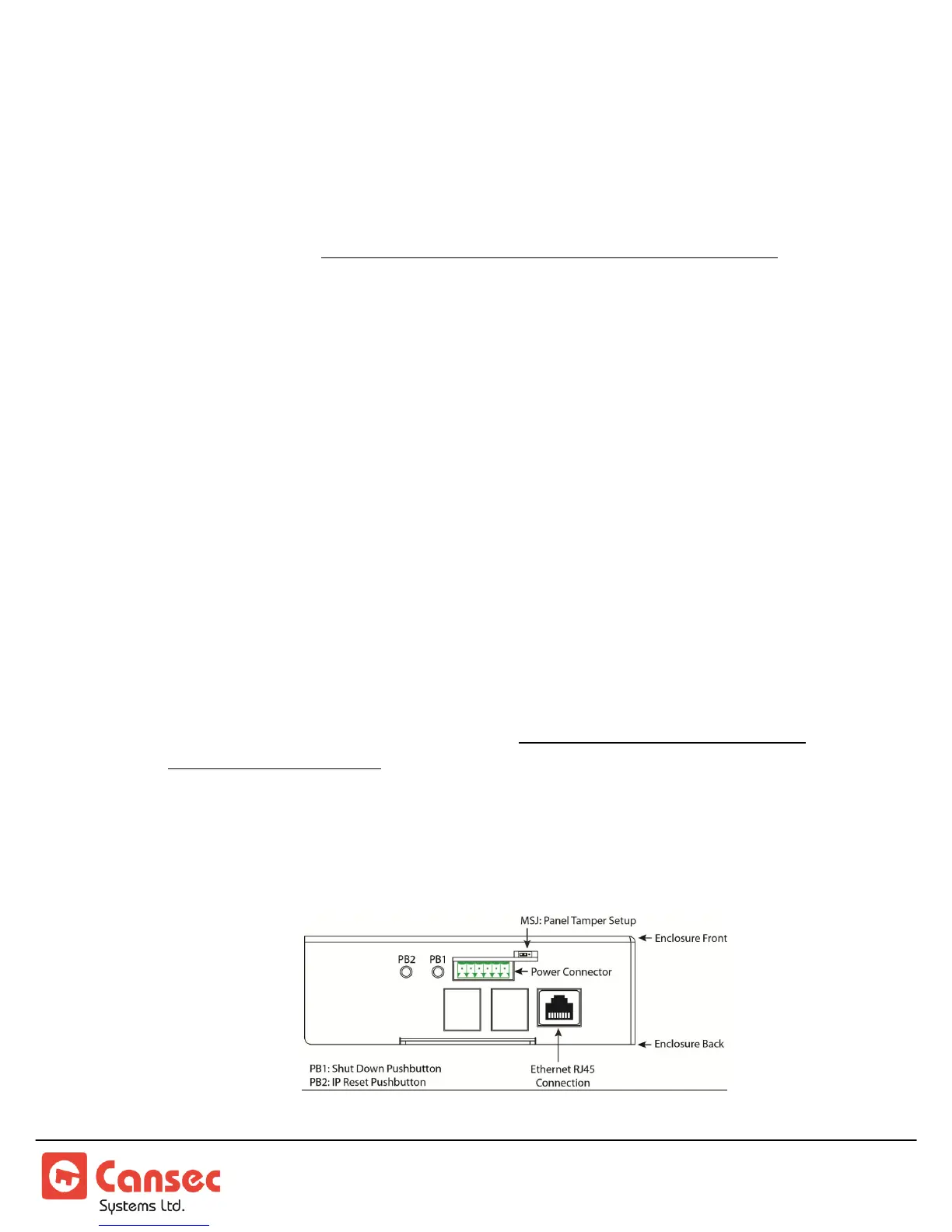
2. CAUTION: Do not unplug the MAP1 Power connector if the system is in
operation as data corruption may occur on the MAP1 mini-computer. Please
follow the instructions from the section “PB1 - Shut Down”.



 To Next Page