EasyManua.ls Logo

Canton Digital Movie 101 - User Manual

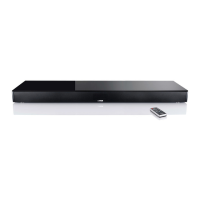
Canton Digital Movie 101
38 pages
Print Icon
To Next Page IconTo Next Page
Loading...
31
English
Digital Movie 101

Questions and Answers

  • L
    Lisa GardnerAug 17, 2025
    How to fix Canton Speaker System remote control not working?
    • H
      houstonmichelleAug 17, 2025
      If your Canton DM system isn't responding to the remote control, it could be due to an empty battery. Replace the battery, making sure to observe the correct polarity when inserting it. Alternatively, check if the protective foil has been removed from the remote control and remove it.
  • M
    Mark SmithAug 19, 2025
    Why does my Canton Digital Movie 101 Speaker System keep switching to the BT input?
    • J
      Jennifer MoralesAug 20, 2025
      The Canton DM system might switch to the BT input inadvertently when your mobile device produces system tones, such as when typing on the keyboard. To prevent this, deactivate the SEL function (MAN). Also, deactivate the system tones on your mobile end device.
  • J
    Jessica HerreraAug 22, 2025
    Why is there no sound coming from my Canton Digital Movie 101 Speaker System?
    • S
      Stephanie MillerAug 22, 2025
      There might be several reasons for the lack of sound from your Canton Speaker System. First, the sound format of the source device might be wrongly selected; check the correct setting of your source device, as “DTS” encoded output formats cannot be reproduced. Second, the source device might not be outputting an audio signal, so activate the digital output and increase the output volume of the source. Finally, the cable might not be correctly connected or could be faulty; check the connection of the source device to the DM system and change the cable if necessary. Ensure that you have removed the protective caps from the provided optical cable.
  • M
    Michael CastroAug 25, 2025
    What to do if my Canton Digital Movie 101 Speaker System volume is too low?
    • S
      santoslauraAug 26, 2025
      If the sound reproduction from your Canton Speaker System is too soft, the volume of the DM system or the source device might be set too low. Increase the volume using the “Volume” button and also increase the volume of the source device. Also, the maximum possible volume might have been limited by means of the “Volume” function; increase the max. possible volume in line with instructions.
  • M
    michaelcantuSep 2, 2025
    Why does my Canton Digital Movie 101 Speaker System keep going into standby mode?
    • R
      Ryan CervantesSep 3, 2025
      If your Canton DM system is autonomously switching into standby, the ECO function might be activated (ON). Deactivate the ECO function. Alternatively, the AUT function might be activated (ON); deactivate the AUT function. The infrared command for standby (STB) might have been learned incorrectly; learn the command for standby (STB) correctly. The ECO function might have been deactivated, so activate the ECO function. The AUT function might still be deactivated, so activate the AUT function.
  • J
    Jeffrey WilliamsSep 5, 2025
    Why does my Canton Digital Movie 101 Speaker System turn on by itself?
    • J
      Jennifer AllenSep 5, 2025
      Your Canton DM system might be switching on inadvertently if your mobile device produces system tones while, for example, typing on the keyboard. To resolve this, deactivate the AUT function (OFF).
  • P
    patriciaballardSep 12, 2025
    Why can't I select the BT input on my Canton Digital Movie 101 Speaker System?
    • D
      Debra McintoshSep 12, 2025
      If you cannot select the BT input on your Canton DM system using the “Input” keys, it's likely that the SEL function is activated (AUT). In this case, the switching process happens automatically as soon as the DM system detects an audio signal from the mobile end device.
  • W
    walshjuanSep 13, 2025
    Why can't I select the optical, coaxial, or analog input on my Canton Digital Movie 101 Speaker System?
    • M
      Miss Penny TylerSep 13, 2025
      If you're unable to select the optical, coaxial, or analog input on your Canton DM system using the input button, it's possible that the input has been deactivated. Activate the input.
  • T
    Tracy BakerNov 27, 2025
    Why won't my Canton Digital Movie 101 Speaker System turn on automatically?
    • J
      James GonzalezNov 27, 2025
      If your Canton DM system isn't automatically switching on via the optical, coaxial, or Bluetooth inputs, the preset (factory setting) for the AUT function might be OFF (disabled). Activate the AUT function (ON). Also, if the DM system was switched off via the “ON/Standby” key of the soundbar remote control or the “Power” key of the TV remote control (using the IR learning function), switch on the DM system via the “ON / Standby” key on the remote control and wait in future until it switches automatically to the standby mode. You can also delete the “Power” key of your TV remote control from the DM system so that you do not turn it off along with your TV. If the DM system was switched to the other digital input which receives no signal and has switched itself off automatically, switch the D...
  • M
    mark87Dec 1, 2025
    How to stop Canton Digital Movie 101 Speaker System from humming?
    • B
      Betty HumphreyDec 1, 2025
      If your Canton DM system is humming, it could be due to several reasons. The signal cable from the source device to the DM system (AUX) might be too long; use a shorter signal cable. The signal cable might not be shielded or the shielding might be damaged; exchange the signal cable for a shielded one. A ground loop (ripple pickup) might be generated; a ground loop can be generated when two or more devices connected via a signal line (cinch) are plugged into separate sockets (e. g. amplifier and computer): plug all safety class I devices (with a safety plug) connected to the DM system into one multiple outlet stripe. Another piece of equipment on the same circuit might have no interference suppression (e. g. fridge): switch off possible sources of interference to test; unplug the device con...

Summary

Safety Advice

Unpacking and Initial Setup

Installation Guidelines

Positioning the Canton Digital Movie underneath the screen on a flat surface.

Breaking in the Loudspeaker

Achieving maximum sound quality requires 15-20 hours of operation at normal volume.

Setting Up the Remote Control

Connection Terminal Overview

Overview of the DM system's input and output ports and their functions.

Connecting Your System

Digital Input (Optical)

Connecting modern TVs with an optical audio output for optimal sound quality.

Digital Input (Coaxial)

Connecting Blu-Ray or DVD players via digital coaxial output.

Analog Input

Using shielded stereo RCA cable for analogue input from TV or other devices.

Analog Output

Connecting an external active subwoofer via the SUB OUT.

Operating the DM System

Remote Control Functions

Explanation of buttons like Power, Mute, Input, Volume, Play Mode, and Sound.

Bluetooth Pairing

Connecting to a Bluetooth® Wireless Technology enabled source device.

Memory Function

System automatically returns to last mode after power disconnection.

Display Indications

Input Source Display

Shows selected input source like TV, DVD, AUX, or BT.

Sound Mode Display

Indicates Volume, Mute, Bass, and Treble levels.

Playback Mode Display

Shows Stereo (ST), Movie Surround (MOV), or Music Surround (MUS).

Bluetooth Status Display

Indicates Pairing Mode, Connection established, Disconnected, or Error.

Extended Sound Functions

Sound Function Adjustments

Adjustments for LipSync, Subwoofer, Equalizer, Dynamic Range Compression, Volume, and Voice.

Setup Functions Overview

Overview of Sleep Timer, AUT, ECO, SEL, APL, and RES functions.

IR Learning Functions

Learn, delete, quit IR learning menu, and learn standby function.

Audio Signal Format

Displays for Dolby Digital 5.1, Dolby Digital 2.0, and PCM audio signals.

Extended Sound Functions

LipSync Adjustment Details

Correct out-of-synch playback by delaying sound in 10 ms steps.

Subwoofer Output Control Details

Switch the output for an external subwoofer on or off.

Equalizer (EQ) Settings Details

Choose between three pre-set equalizer settings to suit the location.

Extended Sound Functions

Dynamic Range Compression (DRC) Details

Reduce volume differences in Dolby encoded data streams.

Volume Limiting (VOL) Details

Limit the maximum settable playback volume to a desired value.

Extended Sound Functions

Voice Function (VOI) Details

Increase speech intelligibility in stereo and surround modes.

Playback via Bluetooth Technology

Bluetooth Registration Requirements

Device compatibility, standard, and range for Bluetooth® connection.

Bluetooth Registration Process

Steps to pair a mobile end device with the DM system.

Operating a Mobile End Device

Automatic connection and playback of media from a mobile device.

Setup Functions

Sleep Timer (SLP)

Set the device to switch to Standby after a defined period (15-60 min).

Setup Functions

Automatic ON;OFF Function (AUT)

Device automatically turns on/off based on signal detection on selected inputs.

Setup Functions

ECO Standby (ECO)

Device automatically enters standby mode if no signal is detected for one hour.

Setup Functions

Automatic BT Input Selection (SEL)

System automatically switches to BT input upon detecting mobile device audio signal.

Setup Functions

Automatic Playback via BT (APL)

Device automatically starts playback from last opened app on mobile device upon power on.

Setup Functions

Restore Factory Settings;Reset (RES)

Restore DM system to delivery state, deleting personalized settings and paired devices.

Configuration of Inputs (INP)

Input Designation Customization

Change names allocated to inputs (OPT, COA, ANA) to match source devices.

IR Learning Function

Learning TV Remote Control Codes

Allocate TV remote control keys to operate the soundbar functions.

IR Learning Function

Direct Signal Input Selection

Allocate TV, DVD, AUX, and Bluetooth® inputs to keys on your remote control.

IR Delete Function

Deleting Learned IR Commands

Steps to delete TV remote control commands learned by the DM system.

Troubleshooting

Remote Control Not Responding

Solutions for issues where the DM system does not respond to the remote control.

No Sound Reproduction

Troubleshooting steps for when no sound is produced by the DM system.

Soft Sound Reproduction

Solutions for low volume or soft sound output from the DM system.

Troubleshooting

DM System Not Turning On

Solutions for when the DM system fails to power on.

Automatic Switching Issues

Troubleshooting automatic ON/OFF, standby, and non-standby modes.

Troubleshooting

Humming Noise Issues

Solutions for humming noise originating from the DM system.

Inadvertent Input Switching

Troubleshooting unintended switching to BT input or accidental power-on.

Troubleshooting

Input Selection Problems

Solutions for when inputs cannot be selected or automatic BT switching fails.

Bluetooth Playback Issues

Troubleshooting no playback or connection problems with Bluetooth® wireless technology.

Technical Specifications

Power and Output Specifications

Details on power supply, consumption, and analogue input/output levels.

Decoder and Bluetooth Standards

Specifications for Dolby Digital, PCM, DTS TruSurround, and Bluetooth®.

Environmental and Frequency Data

Information on ambient temperature range and Bluetooth® frequency range.

EU Declaration of Conformity

Product Conformity Directives

List of EU directives the DM 101 system conforms to.

Further Information

Information for Normal Use

Guidelines for indoor use, device modification, and operation with specified mains voltage.

Environmentally Friendly Operation

Minimising electricity usage by using the standby function.

CE Labelling and Disposal

Explanation of CE mark and instructions for proper disposal of electronic equipment and batteries.

Cautionary Notes

FCC and IC Compliance

Device compliance with FCC Rules and Industry Canada standards for radio transmission.

RF Exposure and Interference

Guidelines to prevent harmful interference and maintain safe RF exposure distances.

Warranty Information

German Warranty (DEU GARANTIE)

5-year warranty for passive speakers, 2-year for DM systems, conditions apply.

English Warranty (ENG GUARANTEE)

5-year warranty for passive speakers, 2-year for DM systems, conditions apply.

Canton Digital Movie 101 Specifications

General IconGeneral
BrandCanton
ModelDigital Movie 101
CategorySpeaker System
LanguageEnglish

Related product manuals