EasyManua.ls Logo

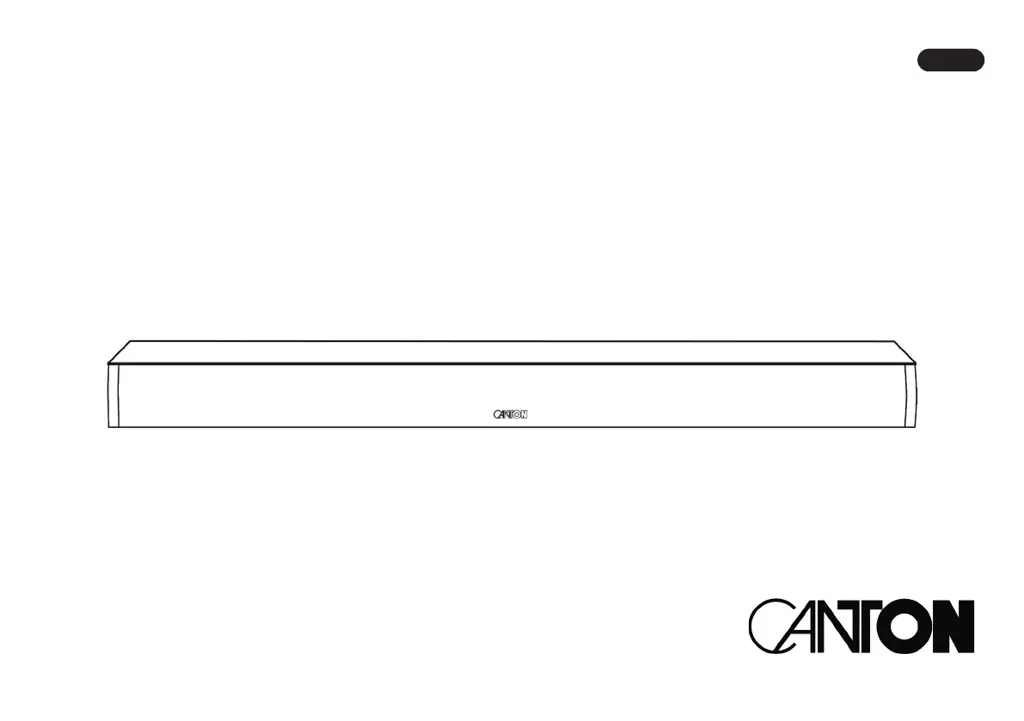
Canton Sound M - User Manual

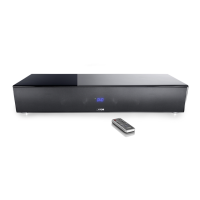
Canton Sound M
53 pages
Print Icon
To Next Page IconTo Next Page
Loading...
Operating instructions
Sound M
English

Other manuals for Canton Sound M

Questions and Answers

  • E
    Edward RivasSep 9, 2025
    How to disable Autoplay on Canton Speakers?
    • V
      vegaheatherSep 9, 2025
      If playback from your (mobile) device starts automatically when the Canton Sound M is switched on, the automatic playback function 'Autoplay' is likely activated. To stop this, set the 'Autoplay' function to 'OFF'.
  • L
    Linda JonesAug 23, 2025
    Why are my Canton Speakers buzzing?
    • R
      Robert BurgessAug 23, 2025
      If your Canton Sound M speaker is buzzing, there are several potential causes. The signal cables from the source device to the Sound M might be too long; try using shorter, higher-quality cables. The signal cable may not be shielded or the shielding might be defective, so replace it with a shielded, higher-quality cable. A ground loop could be generating the buzz, which can occur if interconnected devices with safety plugs are connected to separate power outlets; connect all devices to a power strip. Lastly, a non-interference suppressed appliance on the same electrical network could be the source; try turning off potential sources of interference, or have the device suppressed for interference.
  • J
    josephaprilAug 25, 2025
    What to do if Bluetooth on my Canton Speakers is not working?
    • F
      Frank PonceAug 25, 2025
      If your Canton Sound M speakers are paired via Bluetooth but there is no playback, you may need to reconnect the (mobile) device. Also, ensure the volume on the (mobile) device is set to the maximum possible value and increase the volume on the Sound M. If the issue persists, reduce the distance between the Sound M and the (mobile) device, as you might be out of the maximum range (10 m).
  • D
    Diana CampbellAug 26, 2025
    Why is there no sound from my Canton subwoofer?
    • C
      Corey BlairAug 27, 2025
      If the subwoofer on your Canton Sound M speakers does not reproduce sound, it might not be paired yet. Pair the slave speaker with the Soundbar. If the subwoofer is connected to the Soundbar using an RCA cable, ensure that Sub Out is activated in the 'Sub Out' menu.
  • C
    Christopher HobbsAug 27, 2025
    How to fix Canton Speakers remote control not working?
    • C
      Cathy NealAug 27, 2025
      If the Canton Sound M does not respond to the remote control, first, ensure that you have removed the protective film from the remote. If the issue persists, replace the battery, making sure to insert it with the correct polarity.
  • T
    Tracy MartinezAug 29, 2025
    Why my Canton Speakers don't turn on automatically?
    • C
      Cheryl DouglasAug 29, 2025
      If the Canton Sound M does not turn on automatically, it might be because the standby function is set to ECO. To resolve this, switch the standby function to 'Auto'. Alternatively, if the device was switched off via the remote control or TV remote (using IR learning), switch it on using the 'ON / Standby' button on the remote and wait for it to automatically enter standby mode next time. If you're using a TV remote, deleting the 'Power' button command from the Sound M can prevent it from switching off with the TV. Also, if the signal at the AUX (Line) input is too low, increase the output level on your source device.
  • A
    Alyssa MorganSep 18, 2025
    How to increase the volume limit on Canton Speakers?
    • V
      Veronica ChristianSep 18, 2025
      If the volume on your Canton Sound M speakers is limited to a value less than 70, a maximum volume less than 70 was likely selected in the 'Max Volume' menu. To increase the volume, adjust the value.
  • J
    Jared PowellSep 18, 2025
    What does [WLS] mean on Canton Speakers?
    • C
      Chad BrownSep 19, 2025
      If a Canton Sound M speaker shows [WLS] in the display, it indicates that the slave speaker is being operated without the Soundbar. To resolve this, turn on the Soundbar. Alternatively, the slave speaker may not be paired yet; in this case, pair the slave speaker with the Soundbar.
  • B
    Brandon HallSep 7, 2025
    Why do my Canton Speakers unintentionally change the input?
    • C
      Courtney MoralesSep 8, 2025
      If your Canton Sound M speakers are unintentionally changing the input, it may be because the 'Input Select' function is set to AUTO, and the currently selected input (AUX Line) has a long break in playback (over 10 seconds), while a signal is present at another input or a device is turned on at the optical and coaxial input. To resolve this, ensure that no signal is present at any other input during playback at the AUX (Line) input, or that no device is switched on at the optical and coaxial digital input.
  • S
    Susan ClarkSep 4, 2025
    How to make Canton Speakers turn off automatically?
    • M
      montoyamichaelSep 4, 2025
      If your Canton Sound M speakers do not turn off automatically, it is likely because the standby function MANUAL is activated. To enable automatic shut-off, activate the standby function ECO, AUT, or NETWORK.

Summary

Safety Instructions

Unpacking Guide

Running-In Procedure

Remote Control Setup

Connection Terminals

Remote Control Overview

LED Indicators

Display Indications

Bluetooth Playback

Preset Buttons 1-3

Menu Navigation

Speaker Setup

Channel Level Adjustment

Adjusts volume level for each speaker channel.

Speaker Distance Setup

Sets speaker distance for optimal spatial effect.

Voice Clarity Function

Enhances speech intelligibility for clearer dialogues.

Equalizer Settings

Selects from three equalizers to match room conditions.

Sound Tone Controls

Adjusts tone control settings for bass, mid, and treble.

System Setup Menu

Sleep Timer

Sets the Sound M to shut down into standby mode after a specified time.

IR Menu Options

Includes functions for IR operation using a TV or universal remote.

Infrared Learning

Allows learning infrared codes from other remote controls.

Direct Input Learning

Enables direct input selection using a third-party remote.

Infrared Code Clearing

Deletes all learned IR codes stored on the Sound M.

Consumer Electronics Control (CEC)

Controls devices connected via HDMI inputs/outputs.

Standby Mode Settings

Controls how the Sound M powers up and down.

Input Configuration

Assigns default names to physical inputs or deactivates them.

Input Selection Mode

Automatically or manually changes input based on signal availability.

Subwoofer Output

Allows connection of an external subwoofer.

Subwoofer Phase Adjustment

Changes the phase of a connected subwoofer.

Lip Sync Correction

Corrects audio/video synchronization issues.

Max Volume Limit

Limits the maximum settable volume level.

Dynamic Range Control (DRC)

Controls dynamic range for audio streams.

Display Setup Options

Configures display functions on the front and OSD.

On-Screen Language

Changes the On-Screen menu language.

Input Stream Display

Activates or deactivates the info bar on the TV screen.

Slave Display Sync

Synchronizes LED displays of connected Smart speakers.

Additional Playmodes

Activates additional playmodes beyond standard ones.

Factory Reset Procedure

Resets the Sound M to its factory settings.

Wireless Setup

Wireless Speaker Pairing

Connects Canton Smart series speakers wirelessly.

Wireless Module Reset

Deletes all paired speaker connections and resets the module.

RF Power Adjustment

Adjusts the transmission power of the wireless audio module.

RF Channel Selection

Selects a specific radio channel for the wireless audio module.

Bluetooth Setup

Configures features related to Bluetooth wireless technology.

Bluetooth Reset

Deletes Bluetooth settings and paired devices.

AutoPlay Function

Automatically starts playback from a connected Bluetooth device.

System Information

Firmware Information

Displays firmware version information for various components.

USB Logging Function

Activates or deactivates logging function for operating status.

Firmware Updates

Troubleshooting Guide

Technical Specifications

EU Declaration of Conformity

Important Information

Product Warranty

License Information

Canton Sound M Specifications

General IconGeneral
Audio decodersDTS Digital Surround, Dolby Digital
RMS rated power300 W
Audio output channels2.1 channels
Audio Return Channel (ARC)Yes
Wi-Fi-
HDMI in3
Bluetooth version5.0
HDMI ports quantity4
Number of HDMI outputs1
Connectivity technologyWired & Wireless
Woofer diameter50 mm
Tweeter diameter19 mm
Crossover frequency3000 Hz
Woofer diameter (imperial)2 \
Tweeter diameter (imperial)0.75 \
Cables includedAC, HDMI, Optical
Display typeLED
Product colorBlack
Power consumption (standby)0.4 W
Weight and Dimensions IconWeight and Dimensions
Depth100 mm
Width725 mm
Height65 mm
Soundbar weight4000 g

Related product manuals