39
English
The setting menu
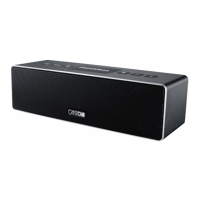
Setting menu of the musicbox M
- To get to the respective settings, push the button “Setup”
- The last options elected is shown first
Adjusting the bass playback
Bass
- The
Bass
setting serves to adjust the bass playback
- Lift bass +1 to +6 dB
- Lower bass – 1 to – 6 dB
- The parameters are adjusted with the navigation buttons
Adjusting the high-tone playback
TREBLE
- The
TREBLE
setting serves to adjust the treble playback
- Lift treble +1 to +6 dB
- Lower treble – 1 to – 6 dB
- The parameters are adjusted with the navigation buttons
Activate the output for an external subwoofer
E.SUB
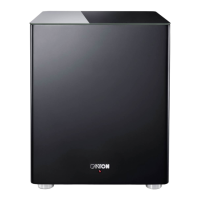
- The musicbox M can be expanded by an active subwoofer
Set the maximum possible crossover frequency at your subwoofer
- Select
E.SUB ON
to activate the output
- Select
E.SUB OFF
to deactivate the output
- The parameters are adjusted with the navigation buttons
Switch on the volume-dependent bass correction
B.EXP
- The dynamic bass correction of the subwoofers (bass expand)
adjusts the bass intensity hearing-physiologically according to
volume
- Select
B.EXP ON
to switch on bass correction
- Select
B.EXP OFF
to switch off bass correction
- When the external subwoofer output is activated, this function
is transferred to the external subwoofer
Adjusting the display brightness
DISP
- The setting
DISP
serves to adjust the display brightness
The display is set to full brightness during operation. It is then
automatically reset to the selected brightness
- The following settings are available
-
DISP OFF
- Display switches off in regular operation
-
DISP MIN
- Display in regular operation with low lighting
-
DISP MID
- Display in regular operation with medium lighting
-
DISP MAX
- Display in regular operation with full lighting
- The parameters are adjusted with the navigation buttons
The playmode function
Use of the playmode functions
- The musicbox M has three different playmodes to adjust the
sound to the signal and personal taste:
-
Stereo
- Playback of the left and right channel of the infed
signal true to the original (use as stereo system)
-
WIDE
- Playback of the infed signal with virtual widening of
the stereo basis (room-filling stereo sound)
-
SURRound
- Playback of the infed signal with virtual surround
sound (use as home cinema system)
- By pushing the button „Playmode“ the next mode is selected



 To Next Page
 Loading...