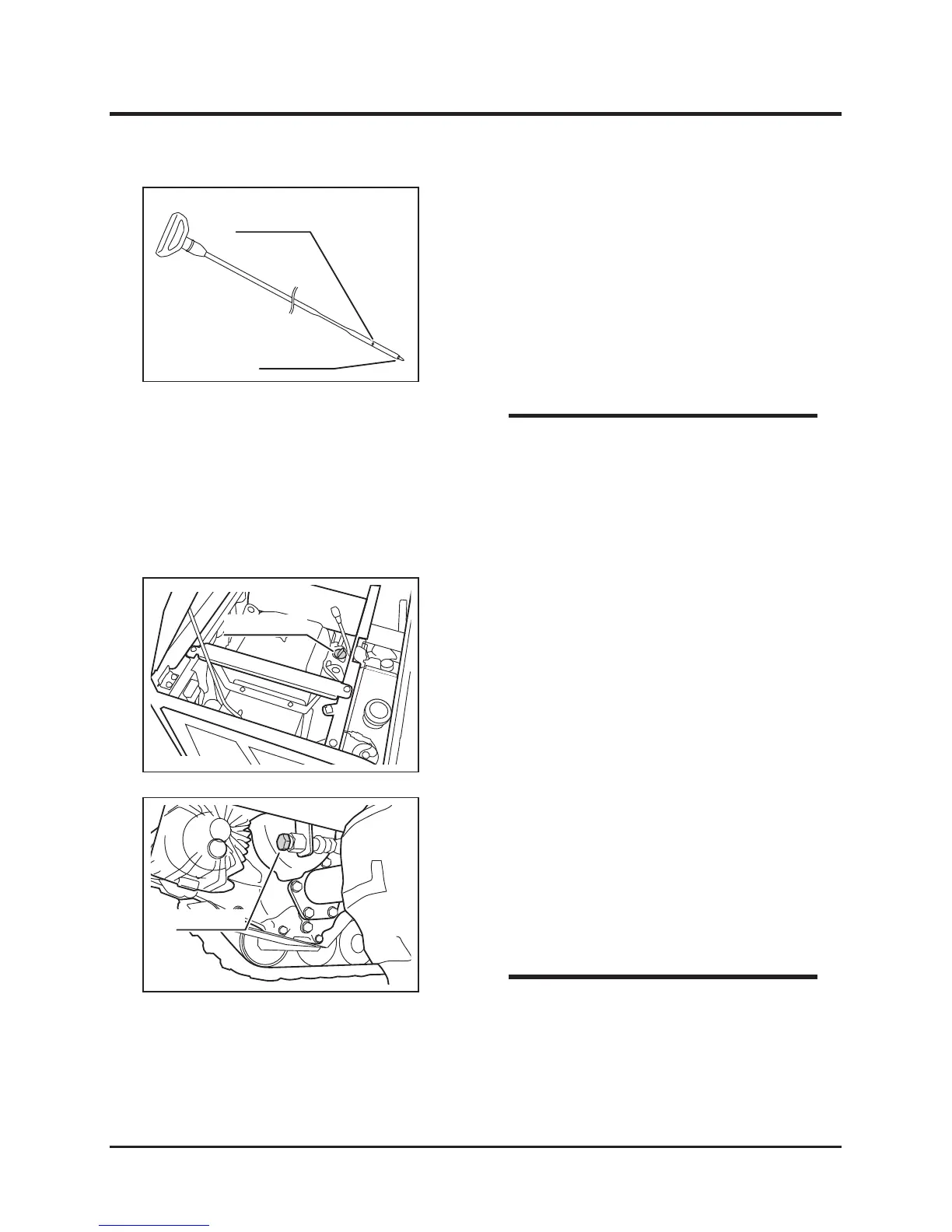
1. Remove the oil ller cap.
2. Follow the instructions in the Operator's
Manual for the engine to ll oil.
3. Check oil level.
4. Put the oil ller cap back in place and tighten
it securely.
Filling
1. Have an appropriate oil drain pan.
2. Remove the drain plug to drain oil.
3. Put the drain plug back in place and tighten it
securely.
4. Fill oil.
Changing
• Oil Capacity: 1.4L(1.48US qts.) [1.55L
(1.64 US qts.) when changing the oil lter
cartridge.
• Removing the oil filler cap helps drain oil
faster.
• To obtain correct reading, check oil level
before starting, or wait about 10 minutes
after stopping the engine to allow oil to
drain back to the oil pan.
• Always check oil level on a level surface.
NOTE
3. Pull out the dip stick. Wipe oil off of the
dipstick with clean cloth.
4. Insert the dipstick and pull it out again.
5. Check oil level. Oil level should be between
the two dimples indicating the upper and
lower limits. If the level is low, ll oil.
6. Visually inspect oil. If oil is dirty or its
viscosity is not normal, change it.
NOTE



 To Next Page