User Manual
Page 8 of 95
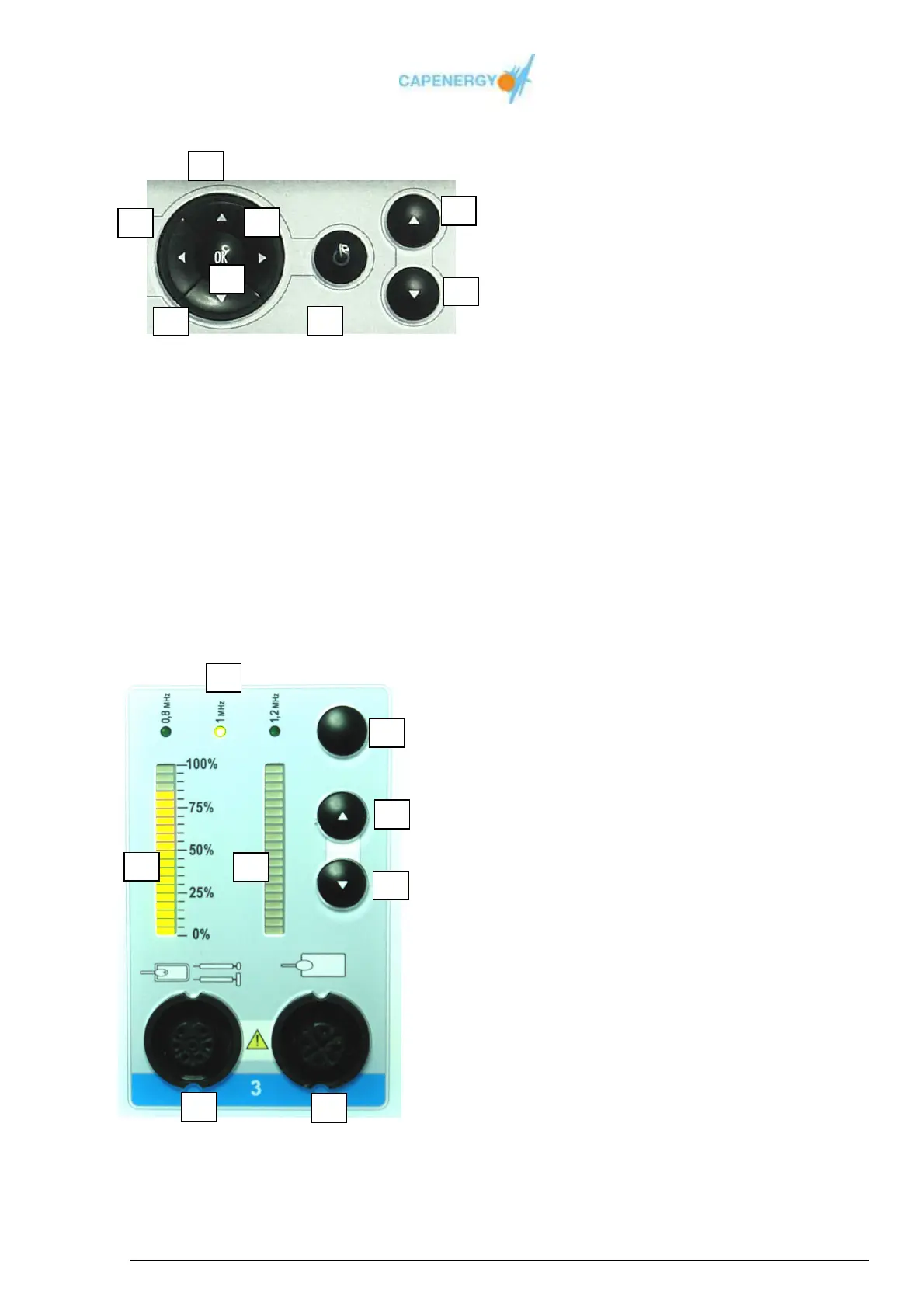
SCREEN CONTROL BUTTONS
Figure 1.2. Screen control buttons
1.-START/STOP button with luminary status indicator:
- START (working): light on
- STOP (not working): light off
2.-Increase treatment time button
3.-Decrease treatment time button
4.-OK button
5.- Left button
6.- Up button
7.- Right button
8.- Down button
CHANNEL
Figura 1.3. Channel
1. Frequency selection button.
2. Temperature or power increase button
3. Temperature or power decrease button
4. Frequency indicator: 0,8MHz, 1,0MHz,
1,2MHz.
5. Luminary indicator of the selected
power percentage
6. Qualitative luminary indicator of the
immediately delivered power.
7. Active accessory connector.
8. Passive plate connector.



 To Next Page