Setting up the Capsule Neuron [Chapter 2]
12
English
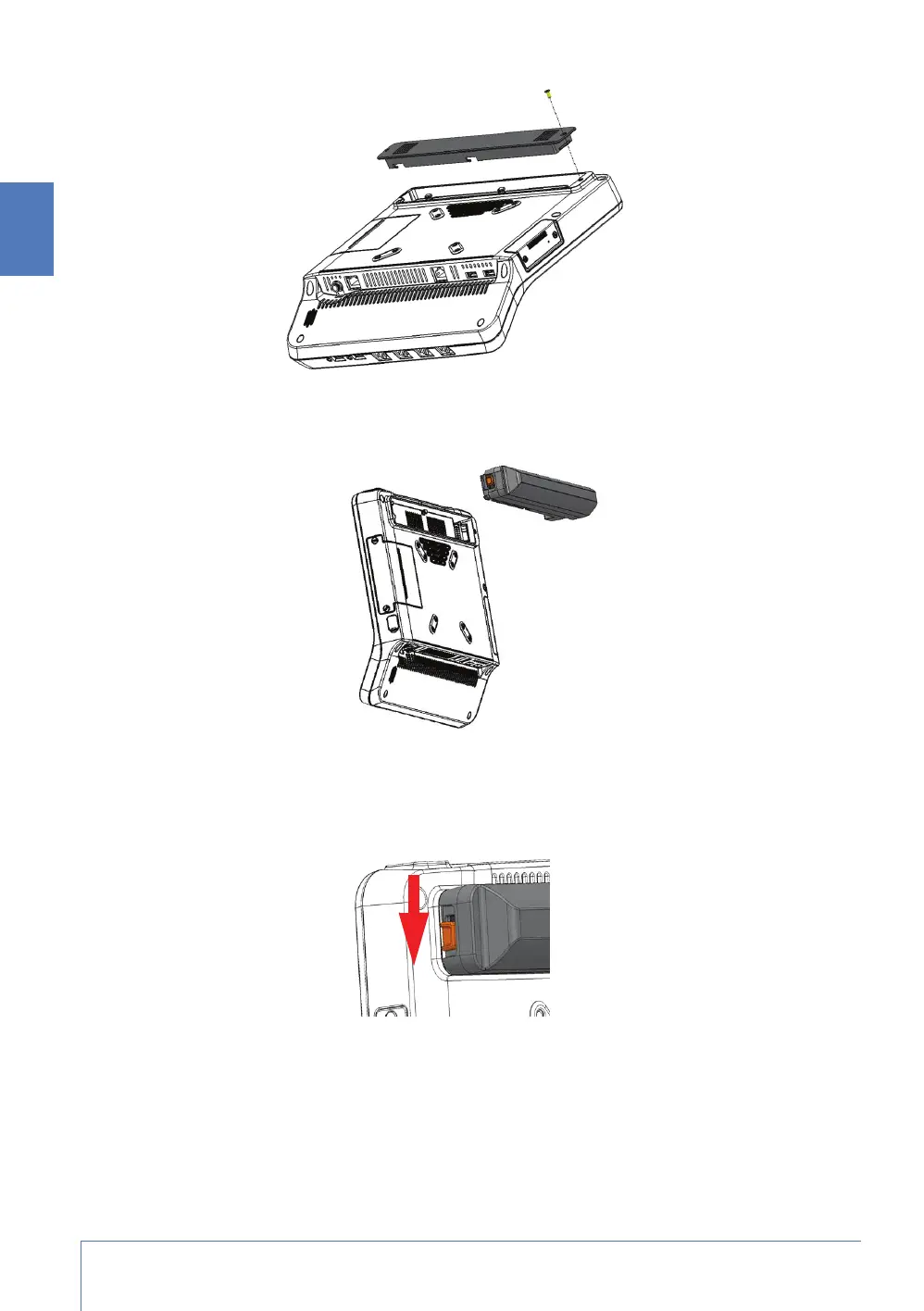
4. Position the extended battery at the same point where you lifted the faceplate. Because of the
arrangement of the pins, you cannot position the extended battery incorrectly.
5. Slide the extended battery to the right. Continue sliding until the left side of the extended
battery is flush with the left side of the extended battery slot.
6. Push the locking button on the extended battery to the down position.



 To Next Page