Setting up the Capsule Neuron [Chapter 2]
14
English
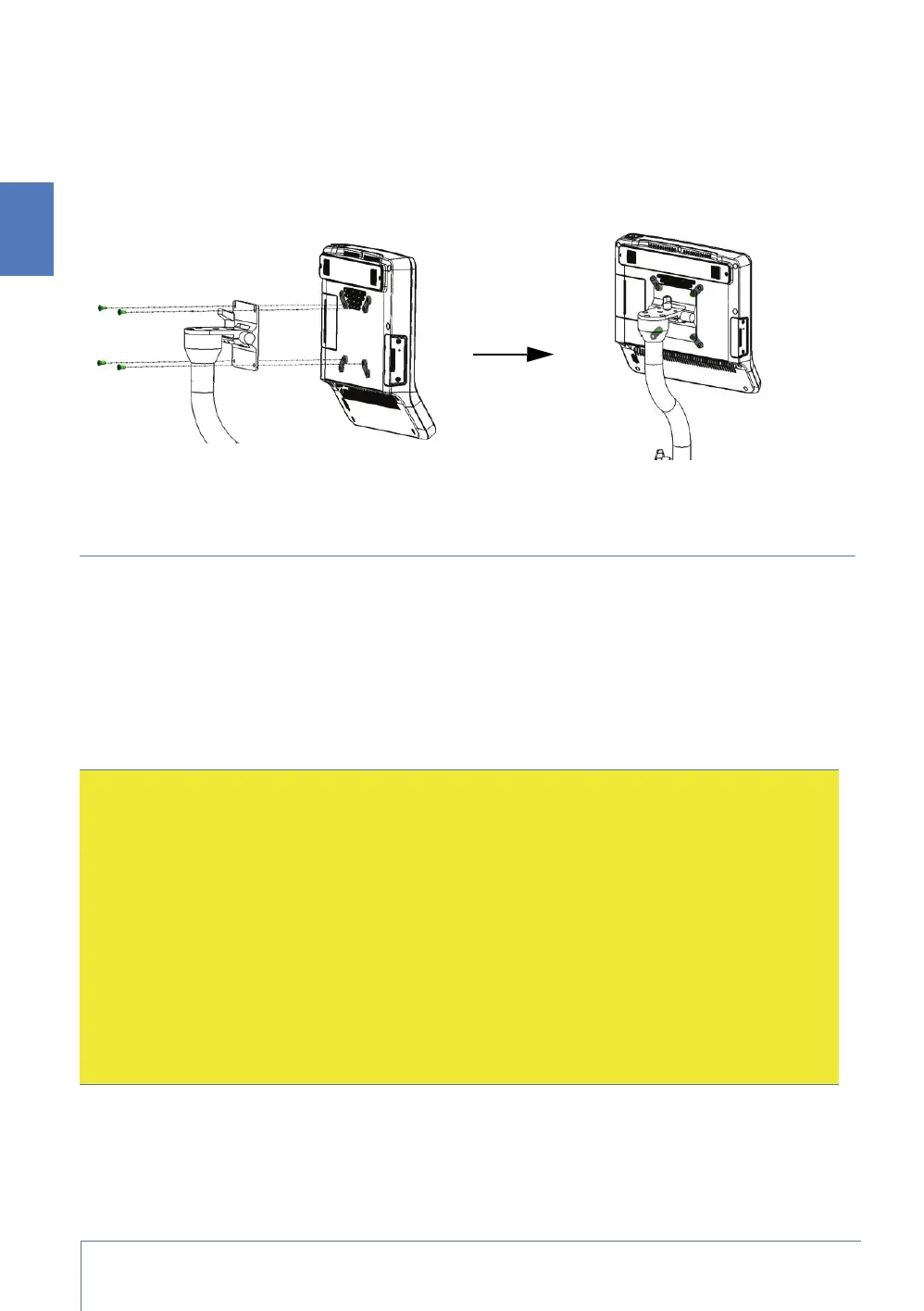
Mounting the Capsule Neuron on a roll stand
1. Mount the Capsule Neuron to the roll stand. Refer to the manufacturer’s instructions for the roll
stand as required.
2. To fix the device to the mounting bracket, use the four screws and washers that are delivered
with your Capsule Neuron, or the screws delivered with your roll stand pole extension.
Connecting the Capsule Neuron to the power supply
Once deployed, on a wall or roll stand for example, you can connect the Capsule Neuron to the
power supply.
Power requirements
The Capsule Neuron is designed to use the IEC 60601-1-compliant, external DC power supply and
power cables that are provided with the Capsule Neuron. For precise information, refer to the
Technical Information in chapter 5 of this document.
Cautions:
• Always use the hospital-grade, AC power cable delivered with the product to connect the
Capsule Neuron to an AC power source. Do not, under any circumstances, use any other cable
than the one provided, even to provide extra cable length. The use of any other cable can result
in increased emissions or decreased immunity of the device with regards to electromagnetic
interference.
• Do not connect the Capsule Neuron to an AC outlet that is controlled with a switch or dimmer.
• Do not, under any circumstances, remove the grounding conductor from the power plug.
• Do not use extension cords or adapters of any type.
• The power cable, supply, and plug must remain intact and undamaged.
• The power plug must remain accessible to unplug the device from the power supply mains if
necessary.



 To Next Page