12 EN
3-6 Formatting TF Memory Card
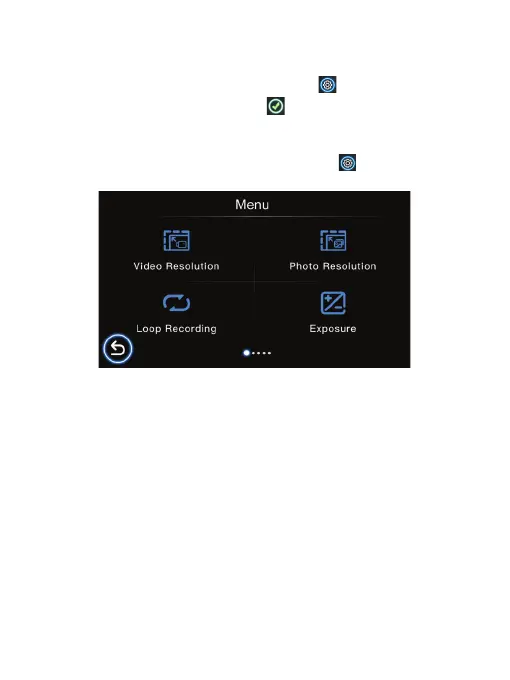
Video Resolution
Photo Resolution
Loop Recording
Exposure
We recommend you format the TF memory card every 2 weeks to maximize its
lifetime.
To format the memory card, press the Settings icon to enter system settings,
scroll and select Format, then tap the icon and all data will be erased.
Set your video output resolution (3840X2160P 30FPS, 2560X1440P 30FPS,
2304X1296P 30FPS, 1920X1080P 60FPS, 1920X1080P 30FPS).
Set your photo output resolution (4032x3024 12M, 3648x2736 10M,
3264x2448 8M, 2992x1696 5M, 2048x1536 3M, 1920x1080 2M).
Set the length of each video clip for a continuous recording (O, 1 min., 3 min., 5
min.). The default settings is on.
Set or reset the exposure level as desire (+2.0, +5/3, +4/3, +1.0, +2/3, +1/3, +0.0, -1/3,
-2/3, -1.0, -4/3, -5/3, -2.0).
4. Settings
When in Video Recording mode, press the Settings icon to go into System
settings Menu, then scroll and select to enter specific settings.



 To Next Page