14 EN
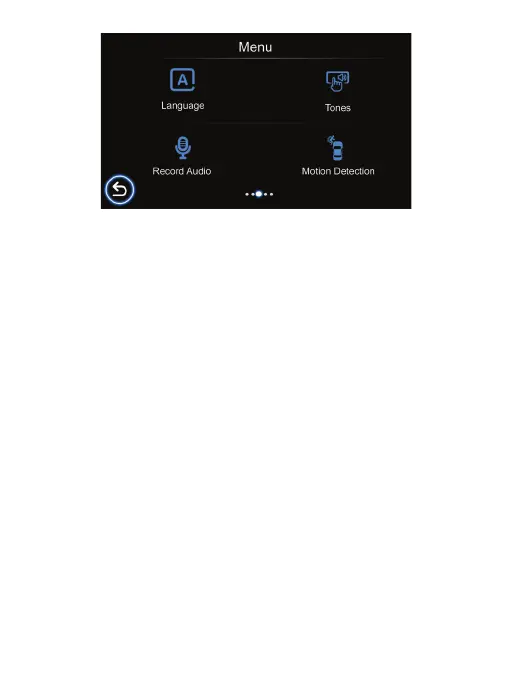
Language
Set the system language.
Tones
Turn tones for tapping on/o
Record Audio
Allows you to turn ON and OFF audio recording for video. The default setting is
on.
Motion Detection
1. To enable “Motion Detection”, check the settings menu and make sure “On” is
selected.
2. When enabled, any movement in the camera’s surrounding area will automatically
begin recording. It will only stop recording after it doesn’t see any movement for 20
seconds.
Attention: Please do not use the Motion Detection feature while driving. The recording
will repeatedly play/pause, which will aect the video’s quality and duration.



 To Next Page