13 EN
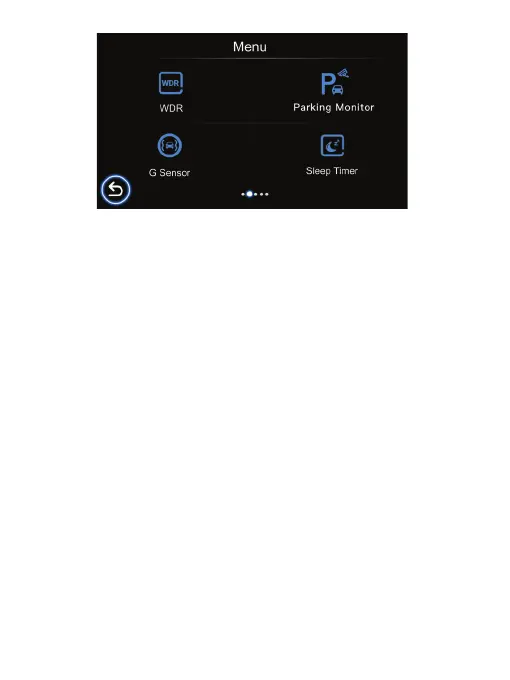
WDR
Parking Monitor
G Sensor
Sleep Timer
The WDR (Wide Dynamic Range) on the device improves the camera’s image quality
under high-contrast lighting conditions where both dimly and brightly lit areas are
present in the field of view. It enables the camera to capture details clearly in both the
poorly and strongly illuminated areas of the video.
The default setting is on.
If the parking monitoring mode is turned on, the device will power o automatically. If
your vehicle is involved in a hit and run while parked, the device will automatically start
up for 15 second recording, then automatically power o again. When the car starts up,
the device will restart
continuous recording.
It can provide around-the-clock protec-
tion and surveillance for the vehicle.
If the G Sensor is turned on, any hard braking/shock/vibration that occurs during
recording device will be automatically locked, ensuring it will not be overwritten.
(Options: O/Low/Medium/High)
Set the Sleep timer (O, 1 Min., 3 Min.,5 Min., 10 Min.) in standby mode. If you set the
Sleep timer to 3 minutes, the Dash Cam will automatically enter sleep mode after 3
minutes of inactivity.



 To Next Page