2. GETTING STARTED
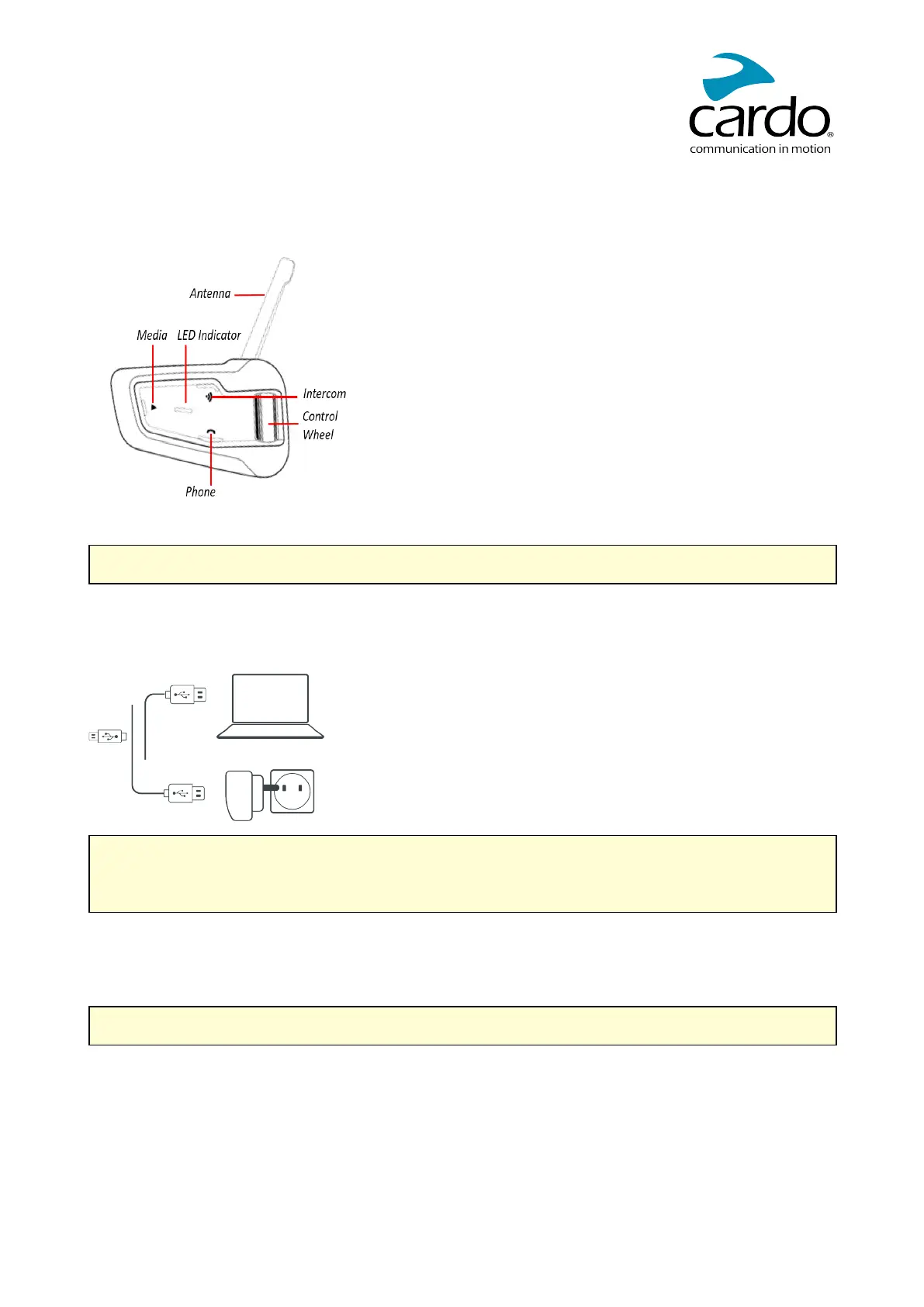
2.1 GETTING TO KNOW YOUR PACKTALK BOLD
2.2 CHARGING THE PACKTALK BOLD
Make sure that your PACKTALK BOLD battery is charged for at least 4 hours before initial use.
To charge the unit:
1. Using the supplied USB cable, connect your computer or wall charger to the USBport on your PACKTALK
BOLD.
● Charging with the wall charger is faster than via a computer USB port.
● Charging your unit switches it off automatically. To use your unit while it is being charged, switch it on.
(see Switching Your Unit On/Off on page 6).
While charging, the LED indicates the charging status as follows:
● Red LED on — charging
● Red LED off — charging complete
TIP: You can check the battery charge at any time by saying "Hey Cardo, battery status."
5













 To Next Page