11
4. OPERATION OF CONTROL PANEL
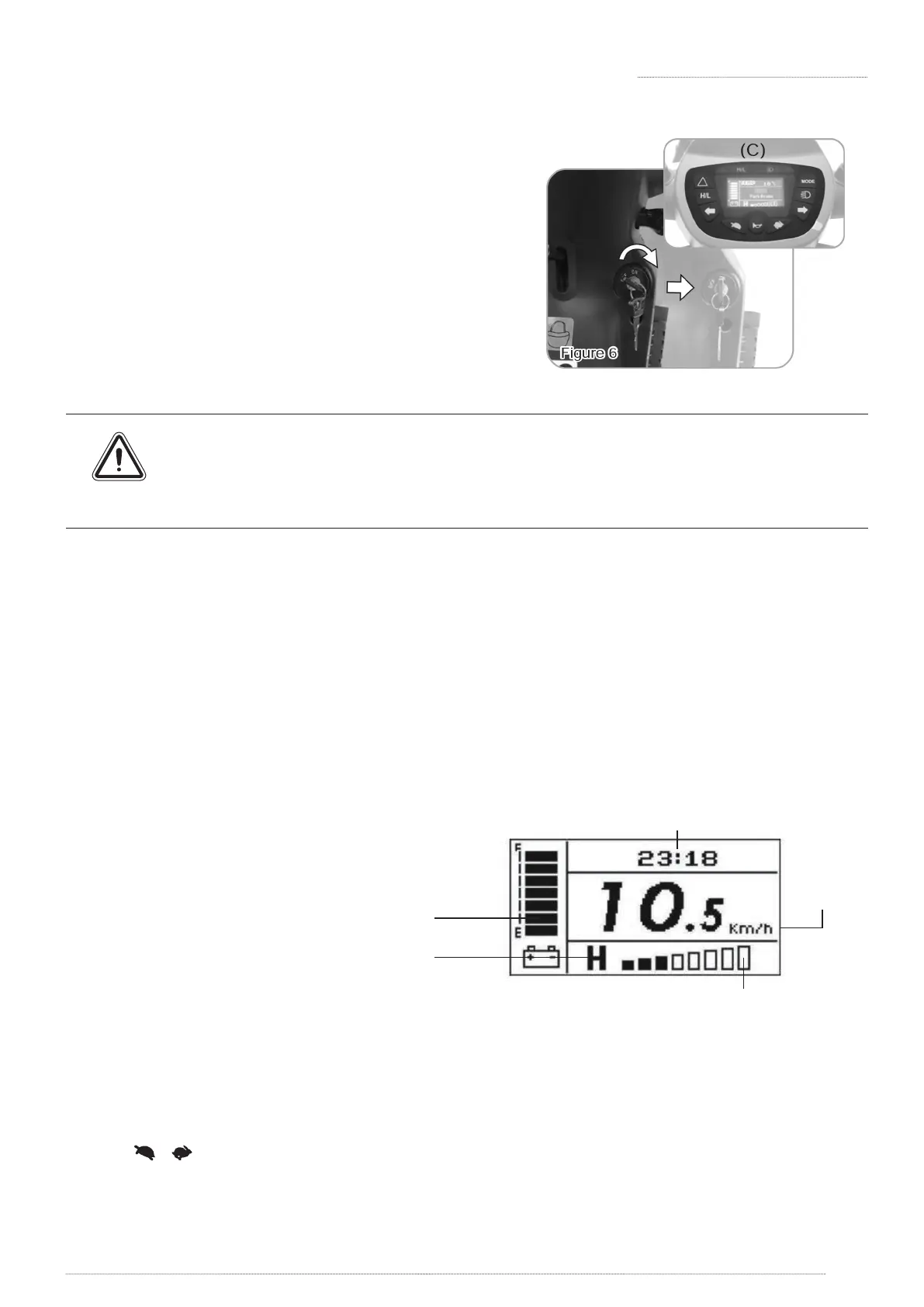
Main Key Switch:
» Turn the key to the right - Turn scooter on.
» Turn the key to the left - Turn scooter o.
» Turn on the scooter, control panel will be in
standby mode. (C)
» Always ensure that the scooter is switched o before getting on or o the scooter
and before removing any items of the scooter.
» Turning the scooter OFF whilst driving will bring the scooter to an abrupt stop and
danger.
Sleep Mode:
» Scooter will go into Sleep Mode with one long beep warning sound if no throttle activity is
detected for programmable time period. (Default programmable time is 30 mins.)
» When scooter is in Sleep Mode, the LCD display will be o automatically and the scooter
will not respond to commands.
» To wake up the scooter, turn the power (key) o and then on again.
Speed:
» [H/L] switch : Press H/L Speed button once, the High/Low Speed Indicator will light on, means
driving in high speed mode; Press again, the indicator will extinguish, means driving in low
speed mode. (Hi/Lo speed will vary which depends on your current speed settings)
» [ ] [ ] Press acceleration / deceleration button to increase / decrease speed. There are 8
dierent speeds of adjustment.
4.2 OPERATION & SET UP
» When starting the scooter, the
LCD control panel will be in
display main page.
Figure 7
Current Mode (See Section 4-3)
Hi /Lo Spee d
Speed Indicato r
Speed
Per Hour
Battery Gaug e





 To Next Page