14
4.3 [MODE] SELECTION
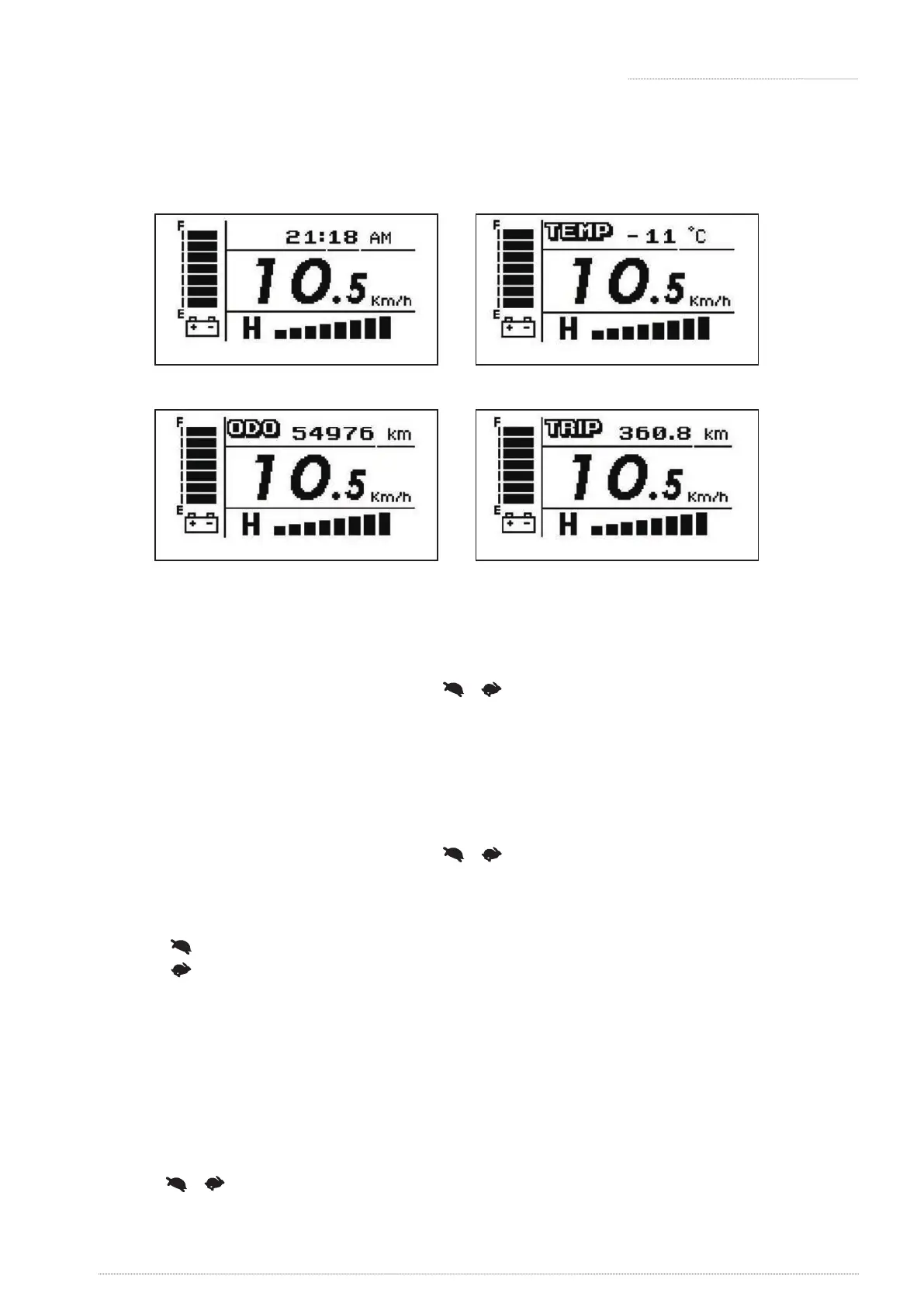
» Press [MODE] to change display mode: TIME, TEMP, ODO, and TRIP.
[
TIME
]
[
ODO
]
[
TEMP
]
[
TRIP
]
Figure 11 Figure 12
Figure 13 Figure 14
Exit / Save:
» Setup mode will automatically quit after 15secs without pressing [left turn] and [right turn],
and scooter will save the setting and return to operation mode.
» User can also press any buttons, except [ ] [ ] [left turn] [right turn] to save the setting
automatically and return to operation mode.
[TIME] Time mode (Figure 11):
» Setup mode will automatically quit after 15secs without pressing [left turn] and [right turn],
and scooter will save the setting and return to operation mode.
» User can also press any buttons, except [ ] [ ] [left turn] [right turn] to save the setting
automatically and return to operation mode.
[TEMP] Temperature mode (Figure 12):
» Press [ ] : Centigrade. Range -20°C~50°C.
» Press [ ] : Fahrenheit. Range -4°F~122°F.
[ODO] Odometer mode (Figure 13):
» Range : 0~99999.
» The odometer will be reset automatically to zero after the total distance reaching 99999km
(62149 mile).
» The odometer (hrs) will stop counting after reaching 99999hrs.
TRIP] Trip mode (Figure 14):
» Hold [ ] [ ] together for 2 secs to reset TRIP meter.
» Range : 0.0~999.9hrs. The trip meter will stop counting when reaching 999.9hrs.
» The odometer (hrs) will stop counting after reaching 99999hrs.
4. OPERATION OF CONTROL PANEL





 To Next Page