9
ENG
"manuale thTx" +0300141IE rel. 1.0 - 16.01.2024
2. USING THE TERMINAL
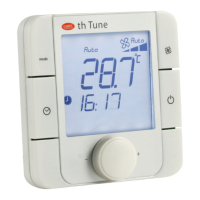
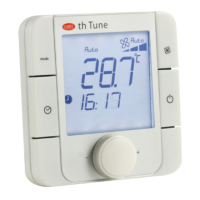
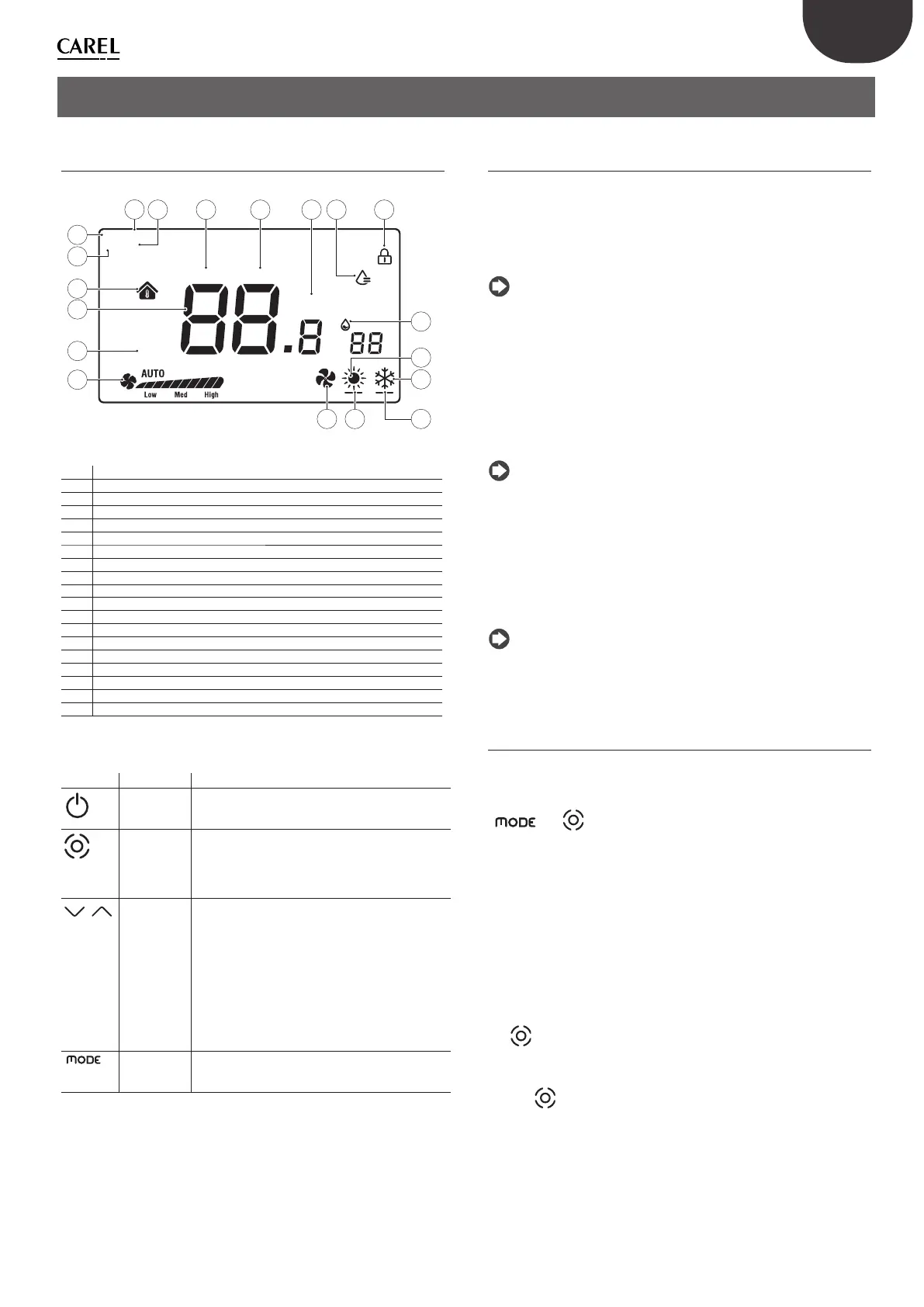
2.1 Display and touch buttons
Cool On Heat On
SET
1
2
3
4
°F °C
%
1
3
2
5
10
13
14
4 7 11 86 9
16
12
17
1815 19
Fig. 2.a
1 Humidify logic activated
2 Manual logic via RS485 active (relay)
3 Manual logic via RS485 active (mode)
4 Manual logic via RS485 active (fan)
5 Indoor temperature
6 Relay closed in cooling mode
7 Relay closed in heating mode
8 Display lock activated
9 Relay closed in humidify mode
10 Temperature
11 Temperature unit of measure
12 Relative humidity
13 Temperature setting
14 Fan speed in manual/automatic mode
15 Operating mode: Ventilation
16 Operating mode: Heating
17 Operating mode: Cooling
18 Relay closed in heating mode
19 Relay closed in cooling mode
Functions of the buttons
Button Description Function
Flashing
ON/OFF
Press and hold for a few seconds to switch the
thermostat on or off . When off , all the outputs will be
open.
Fan/Confi rm When the thermostat is on, press this button to set the
fan speed to Low ÆMedium ÆHigh ÆAutomatic fan
speed Æ Off
Inside the menus or when changing the SET point, this
becomes the “confi rm” button
Arrow
Up/Down
When the thermostat is on, touch the Up or Down
button to increase or decrease the set temperature,
with 0.5 degree increments.
After setting, press Fan/Confi rm to save the new
temperature or wait 8 seconds without touching any
button to save the value automatically.
When the thermostat is in normal operation, pressing
the two buttons together for 3 seconds locks the
display, with the padlock icon shown.
Pressing the two buttons together again unlocks the
display and the padlock icon is cleared.
MODE Select the operating mode: press until reaching the
desired operating mode, between Cooling/Heating/
Fan-only
Tab. 2.a
The parameters and outputs can be set on the terminal in two possible
ways: either directly on the display (using the buttons and parameters
shown in Table 3.b) or via Modbus, setting the parameters shown in Table
3.c.
2.2 RS485 address setting
Select parameter E5 (communication address) to set and confi rm the
thermostat’s RS485 serial address.
Up to 32 thermostats can be connected. The serial address must be in the
range 1 to 207 (default address = 1).
This parameter can be set via Modbus variable HR 249.
Notice: the settings via Modbus do not require a reboot and take
eff ect immediately.
Communication modes
Protocol type: RTU
Data bits: 8
Stop bits: 2
Parity: None
Settable via menu E25 (stop bits) E26 (parity) or via Modbus variables
HR340 and HR 341 respectively.
Notice: the settings via Modbus do not require a reboot and take
eff ect immediately.
BMS data transmission speed
Access menu parameter E24 (baud rate) and confi rm the value:
• 0= 19200 (default)
• 1= 9600
• 2= 4800
This parameter can be set via Modbus variable HR 250.
Notice: the settings via Modbus do not require a reboot and take
eff ect immediately.
2.3 Using the terminal
Setting the parameters
To access the menu for setting the parameters, switch the
thermostat off using the ON/OFF button, press and hold
“
+ “ for 5 seconds, then enter the password (0022).
Subsequently, the password can be changed using menu parameter E23.
The complete list of parameters is shown in Table 3.b
Setting the mode
To set the operating mode, press the Mode button, the icon at the bottom
left will change to Heating (sun) / Cooling (snowfl ake) / Ventilation (fan).
The mode can also be viewed via Modbus parameter HR140
SET/FAN button
The button is used to change the fan speed and therefore the output
(EL/EM/EH) of the three-speed fan. It is also used to confi rm the settings
(set point and in the settings menu).
Pressing
also selects the desired speed (low, med, high) or automatic
(Auto), with the same setting sent via Modbus (register 141)


 To Next Page
 Loading...