Operation and Use
AF0118 | 2018-03-27 3-17
Prep/expose
switch
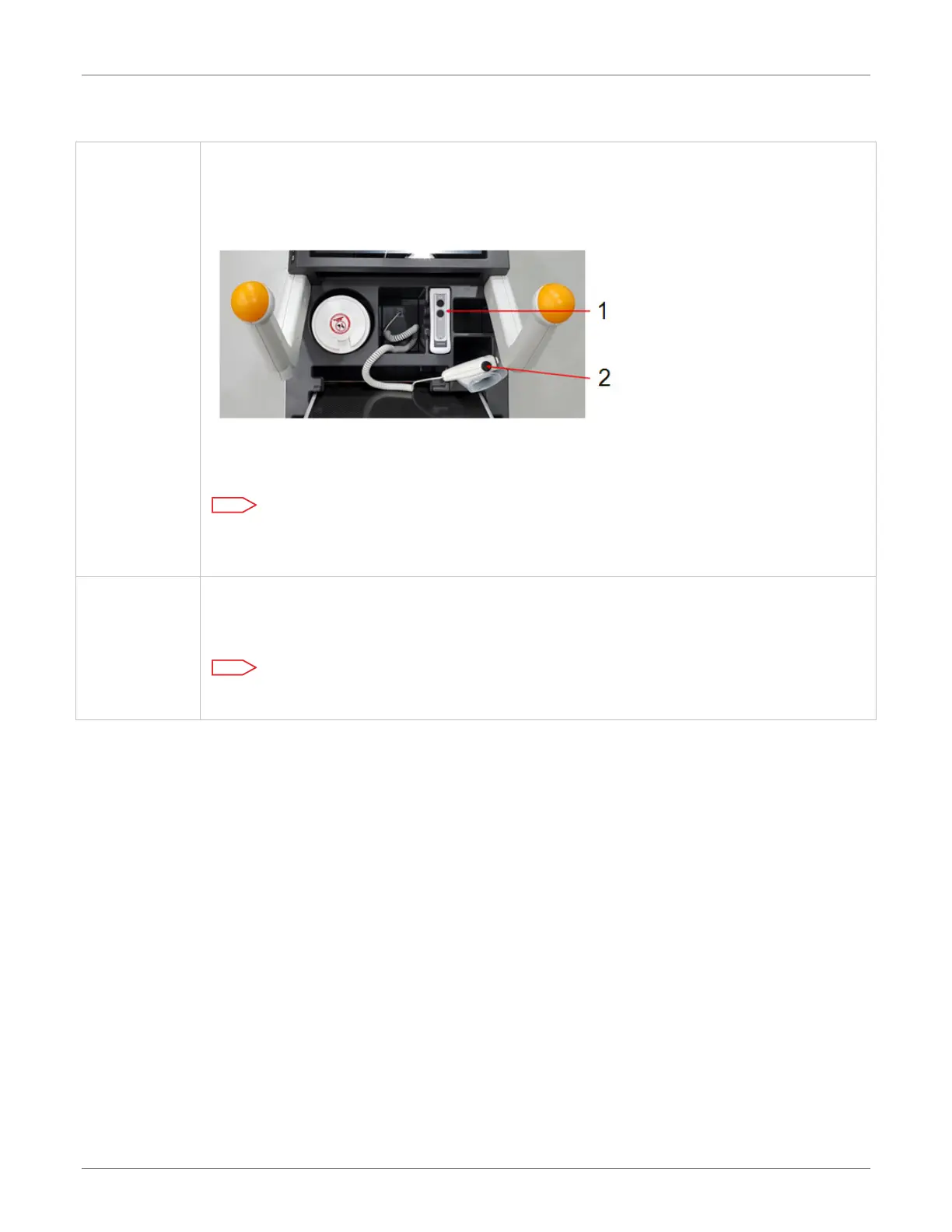
The wired exposure switch includes a prep/expose button on top and a collimator
light button on the side. A cord connects the unit to the cart. An infrared (IR)
wireless remote is available as an option.
There is storage on the cart for both the wired and wireless exposure switch.
1.
Optional IR wireless remote
2. Wired exposure switch
Note
The wired exposure switch and cable should be placed in the storage area
container(s) when not in use.
Proximity
card reader
The proximity card reader scans an RFID badge to identify the operator for logon
security. Carestream offers optional proximity badges if needed, or some facilities
may use their own models. RFIDs will need to be configured to the unit for use.
Note
Refer to Carestream DirectView Online Help Topics for instructions to configure.











 To Next Page