Maintenance and Safety Information
AF0118 | 2018-03-27 5-3
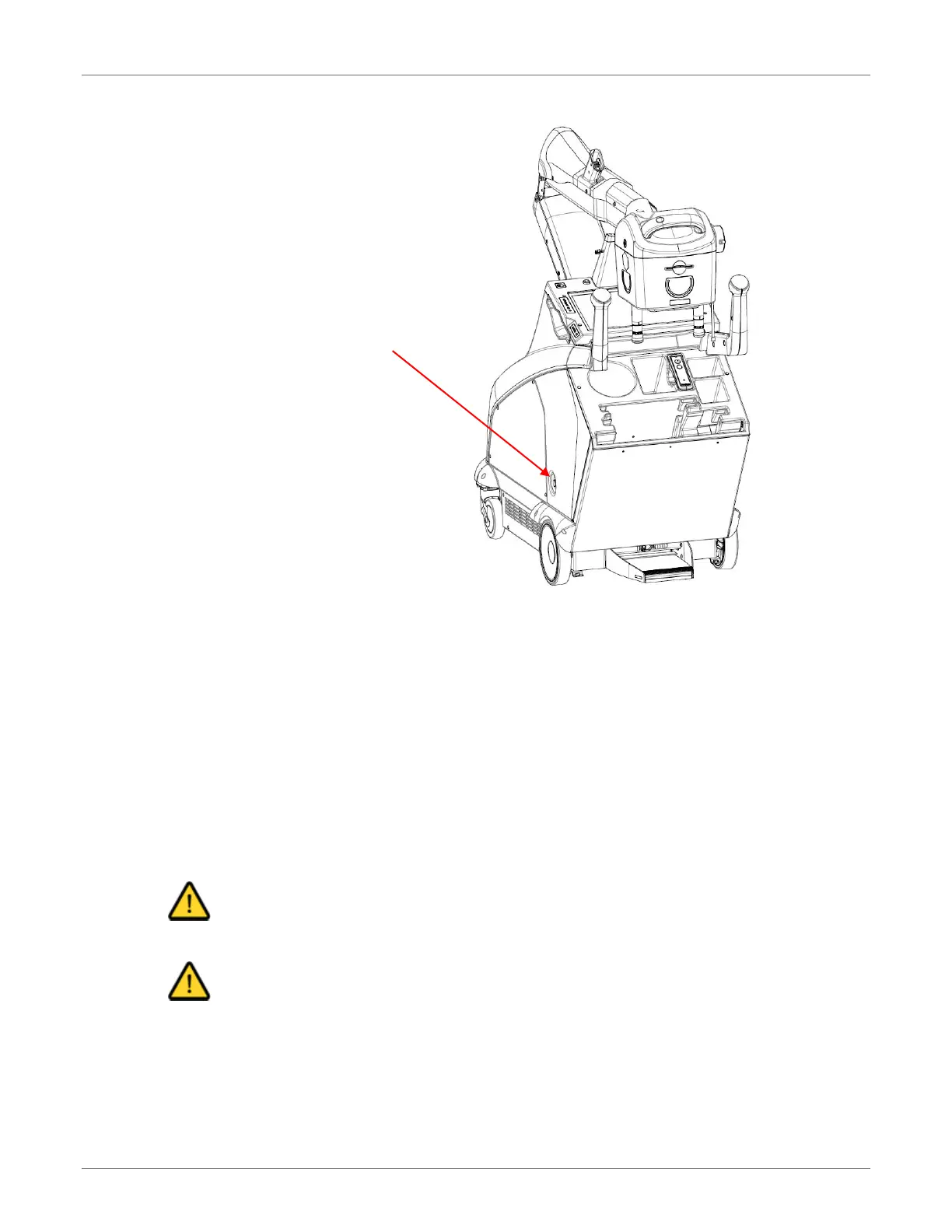
System On/Off Button
The easiest cleaning method is to use a screen cleaner kit that includes antistatic wipes.
Spray the cleaning solution on a wipe (do not spray the solution directly on the
monitor screen), and then rub it gently across the screen. If necessary, finish cleaning
the touchscreen with a dry, lint-free cloth to wipe off any moisture.
Alternatively, wet a soft, lint-free or microfiber cloth with a solution of 70 % isopropyl
alcohol. Make sure the cloth is damp but not wet. Wipe the screen in a gentle motion.
If necessary, finish cleaning the touchscreen with a dry, lint-free cloth to wipe off any
moisture
Cleaning the Hardware
Caution
Do not operate the equipment when you are cleaning the equipment.
Caution
Do not spray cleaning solution directly onto the equipment. Moisten a cloth with a 70 %
isopropyl alcohol solution and apply to the patient contact areas after each contact.



 To Next Page