BT2 user manual - H-5911-9004-02-B Page | 81
11.3.10 Keystrokes
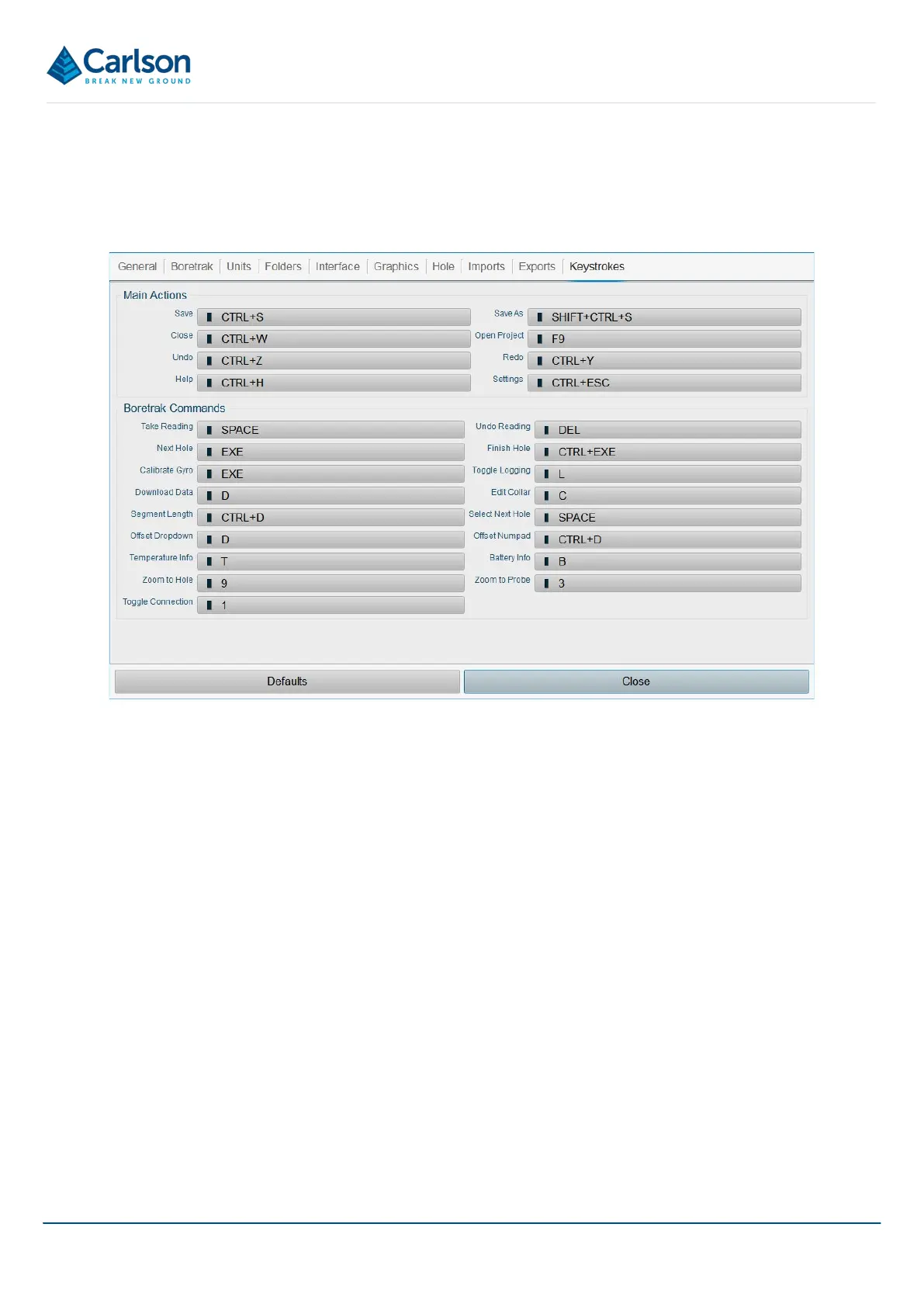
The Keystrokes tab lists common actions in Carlson Boretrak and allows you to assign shortcut keys to each of
these actions. This enables you to utilise hardware buttons on your mobile device to activate actions such as taking
a reading or finishing a hole.
To assign a shortcut key, tap on any of the existing shortcut buttons in the Keystroke tab. Press the button or
combination of buttons you would like to use for the associated action. This shortcut now replaces the previous
shortcut key.
You can assign the same button to actions which are encountered at different stages of a deployment operation.
For example, a Function key may be assigned to ‘Take Reading’ and also to ‘Download Data’ as these actions are
never offered as onscreen options at the same time.



 To Next Page