36 | Page
BRx7 User Manual
WebUI (connued)
Data Link
The BRx7 supports the sending and receiving of RTK via the internal UHF
radio, external devices (such as an external radio) via serial, TCP/IP, NTRIP,
and Bluetooth (rover only).
Internal UHF
Your BRx7 comes without a channel table loaded. Only Carlson or a Carlson
cered dealer can create the le to upload a channel table.
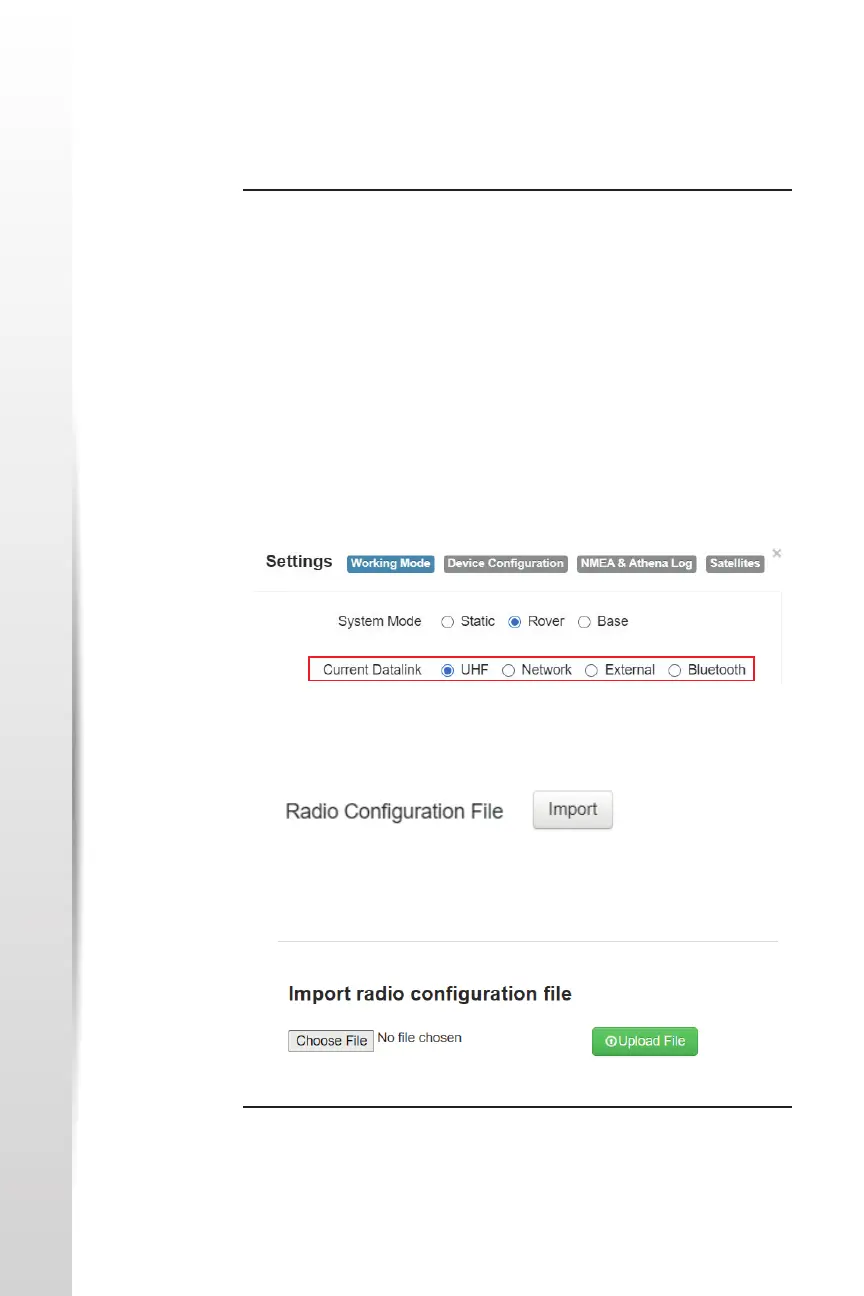
Next to Current Datalink select UHF.
Note: The radio frequency should match the transming base.
The following dialogue window appears:
You can also upload a le by clicking Import next to Radio
Conguraon File and uploading a channel table le (le extension .ud)
provided by your dealer.
Working Mode
(connued)


 To Next Page