13
characteristics of cool to dehumidify are the same. The
following system configuration is recommended for
maximum cooling/dehumidifying comfort (See Fig.
12).
(1.) HEAT--Factory selected to match gas heat size of
unit installed.
(2.) AC/HP Size--Factory selected to match system
size, please verify.
(3.) SYSTEM TYPE--Factory selected on 48XP
system AC--AIR CONDITIONER.
(4.) AC/HP CFM ADJUST--Select NOM.
(5.) ON/OFF DELAY--Select “0/0“ profile.
(6.) CONTINUOUS FAN--Select desired fan speed
when thermostat is set to continuous fan.
(7.) DEHUMIDIFY MODE--Remove J1 jumper to
activate.
NOTE: J1 jumper should only be removed when a Thermidistat,
humidistat or capable zoning control is installed.
(8.) LOW VOLTAGE CONNECTIONS--Make
connections as shown in ELECTRICAL
CONNECTIONS section.
(9.) CONFIGURE THERMIDISTAT--Follow
Thermidistat (or capable zoning system)
installation instructions for Super Dehumidify
operation.
ACCESSORY INSTALLA
TION
a. AUXILIARY TERMINALS The AUX and HUM
terminals on the Easy Select Board are tied directly to
the G terminal, and provide a 24--v. signal whenever
the G terminal is energized (See Fig. 12). During
Super dehumidify mode, the G signal is not present
and the auxiliary terminals are not energized. If the
installation includes the use of this operating mode, do
not use these terminals to control accessories. See
Electronic Air Cleaner and Humidifier sections for
further information.
b. ELECTRONIC AIR CLEANER CONNECTIONS
The AUX1 and AUX2 terminals are not always
energized during blower operations, as described
above. When using an electronic air cleaner with the
unit, use Airflow Sensor (See Air Cleaner Price Pages
for Part Number). The airflow sensor turns on
electronic air cleaner when the blower is operating.
c. HUMIDIFIER/HUMIDISTAT CONNECTIONS Easy
Select Board terminals HUM1 and HUM2 are
provided for direct connection to the low--voltage
control of a humidifier through a standard humidistat
(See Fig. 12). These terminals are energized with 24--v.
when G thermostat signal is present (See Fig. 13 &
14). Alternately, the 24--v. signal may be sourced from
the W and C on the 9 pin connector. When using a
Thermidistat Control, Zone Comfort Plus or Comfort
Zone II, the 24--v. signal may be sourced directly from
the Thermidistat HUM terminal (See Fig. 12, 13 &
14).
d. DEHUMIDIFY CAPABILITY WITH STANDARD
HUMIDISTAT CONNECTION
Latent capacities for this unit are better than average
systems. If increased latent capacity is an application
requirement, the ECM board provides connection
terminals for use of a standard humidistat. The unit
will detect the humidistat contacts opening on
increasing humidity and reduce its airflow to
approximately 80 percent of nominal cooling mode
airflow. This reduction will increase the system latent
capacity until the humidity falls to a level which
causes the humidistat to close its contacts. When the
contacts close, the airflow will return to 100 percent of
selected cooling airflow. To activate this mode, remove
jumper J1 and wire in a standard humidistat (See Fig.
14).
e. DEHUMIDIFY AND SUPER DEHUMIDIFY
CAPABILITIES
This model unit is capable of responding to a signal
from indoor system control (Thermidistat or capable
zoning control) to operate in comfort control modes
such as Super Dehumidify Mode. Consult literature
provided with indoor system control to determine if
these operating modes are available, and to see control
set up instructions. No special setup or wiring of unit
is required.
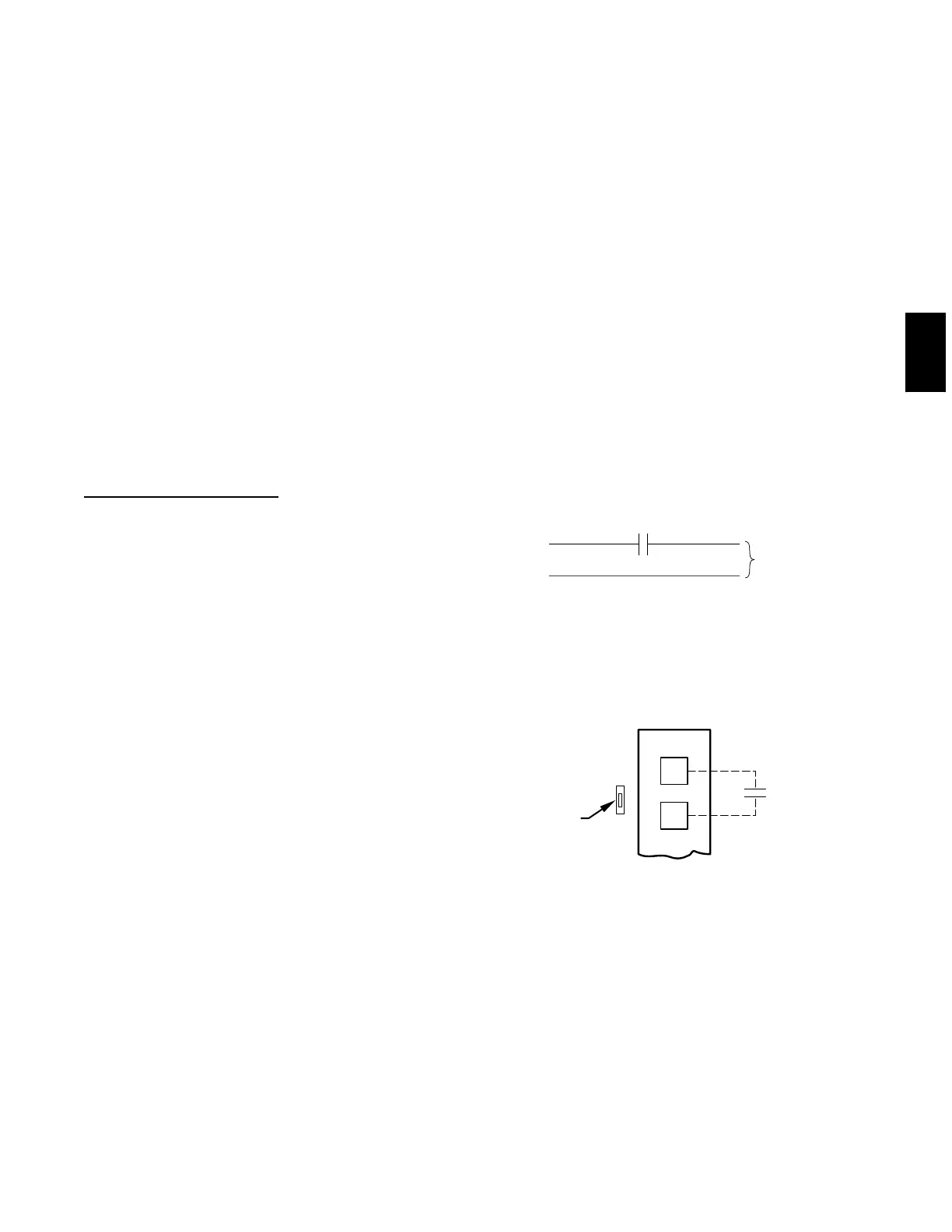
HUMIDISTAT
TO HUMIDIFIER
HUMIDIFIER WIRING
HUM 1
(C)
HUM 2
(G)
24-VAC
A95317
Fig. 13 -- Humidifier Wiring -- 48XP
EASY SELECT
BOARD TERMINAL
BLOCK
D
H
J1
R
HUMIDISTAT
REMOVE
JUMPER
A95316
Fig. 14 -- Humidistat Wiring for De--Humidify Mode -- 48XP
48XP





 To Next Page