EasyManua.ls Logo

Carrier CDII-184R1-0CTR4 - User Manual

Carrier CDII-184R1-0CTR4
93 pages
Print Icon
To Next Page IconTo Next Page
Loading...
1
Installation & Operation Manual
Indoor & Outdoor Unit
Inverter Ducted Series
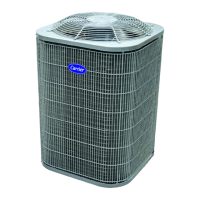
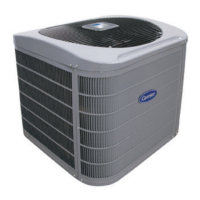
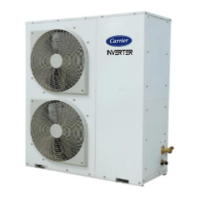
OUTDOOR UNIT
+
7 HP & 11 HP
14 HP
22 HP
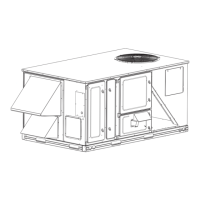
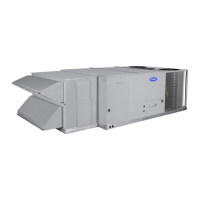
INDOOR UNIT
11 HP
14 HP
22 HP
RELEASE DATE: 05.07.2021
REVISED VERSION: SM-1.2
R410A

Questions and Answers

  • A
    Adam RobertsAug 12, 2025
    How to fix Carrier CDII-184R1-0CTR4 corded remote open/short/reverse connection?
    • T
      Tammy HamiltonAug 12, 2025
      If the corded remote of your Carrier Air Conditioner has an open, short, or reverse connection, check the remote's wiring with a multimeter in continuity mode with the PCB. Inspect the connector soldering on the PCB. If the problem persists, check the wire color code against the markings on the PCB in the reverse condition.
  • P
    Philip MccormickAug 16, 2025
    What to do if communication wire is open/short/reverse connection at FCU PCB in Carrier Air Conditioner?
    • M
      Madison PerryAug 16, 2025
      If the communication wire of your Carrier Air Conditioner has an open, short, or reverse connection at the FCU PCB, check the connection on all PCBs and inspect the connectors on the PCBs.
  • L
    Laura MarshallAug 20, 2025
    What to do if my Carrier CDII-184R1-0CTR4 Air Conditioner has an indoor freeze?
    • R
      Ronald WilliamsAug 20, 2025
      If your Carrier Air Conditioner is freezing indoors, inspect the coils for ice buildup and allow them to melt by turning off the unit. Also, verify the gas pressure in the coils, clean the filters if needed, and inspect the pipe sensors.
  • H
    Howard SimpsonAug 23, 2025
    How to troubleshoot HP fault in Carrier Air Conditioner?
    • W
      William LopezAug 23, 2025
      To troubleshoot an HP (High Pressure) fault in your Carrier Air Conditioner, examine the condition of the LP/HP switch. Use a multimeter to check the continuity of wires connected to the PCB. Also, use pressure gauges to verify the correct pressure levels.
  • T
    Teresa GreenAug 27, 2025
    How to troubleshoot LP fault in Carrier CDII-184R1-0CTR4?
    • K
      Kimberly WestAug 27, 2025
      To troubleshoot an LP (Low Pressure) fault in your Carrier Air Conditioner, examine the condition of the LP/HP switch. Use a multimeter to check the continuity of wires connected to the PCB. Also, use pressure gauges to verify the correct pressure levels.
  • D
    Daniel WilliamsAug 31, 2025
    What to do if Carrier CDII-184R1-0CTR4 Air Conditioner displays fault on outdoor temperature sensor?
    • T
      Theresa PierceAug 31, 2025
      If there's a fault on the outdoor unit (CDU) temperature sensor of your Carrier Air Conditioner (short/open), check the wiring connection and the sensor's connector on the PCB. Use a multimeter to check the sensor's resistance value. Ensure the wire insulation is in good condition.
  • C
    carlos81Sep 4, 2025
    What to do if Carrier CDII-184R1-0CTR4 displays fault on indoor temperature sensor?
    • D
      Daniel CowanSep 4, 2025
      If there's a fault on the indoor unit (FCU) temperature sensor of your Carrier Air Conditioner (short/open), check the wiring connection and the sensor's connector on the PCB. Use a multimeter to check the sensor's resistance value. Ensure the wire insulation is in good condition.
  • M
    Michele MurphySep 7, 2025
    What to do if power supply is open at FCU PCB in Carrier Air Conditioner?
    • E
      egoodSep 7, 2025
      If there is a power supply open at the FCU PCB of your Carrier Air Conditioner, check the voltage on the power connector "P2" as well as the voltage on the mains using a multimeter on AC mode. Also, verify the harness using a multimeter on continuity mode.

Carrier CDII-184R1-0CTR4 Specifications

General IconGeneral
BrandCarrier
ModelCDII-184R1-0CTR4
CategoryAir Conditioner
LanguageEnglish

Related product manuals