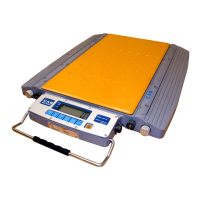
Road Weigher
▩▩▩▩▩▩▩▩▩▩▩▩▩▩▩▩▩▩▩▩▩▩▩▩▩▩▩▩▩▩▩▩▩▩▩▩▩▩▩▩▩▩▩▩▩
- 10 -
■ KEY
* How to enter TEST mode
Turn on the Power while pressing the
key and TEST mode starts
* How to enter SET mode
Turn on the Power while pressing the
key and SET mode starts
ZERO key : Used to return the display to the center of ZERO when the
platform is empty
kg/lb key : Display kg/lb by turn (U.S.A version)
Printer key : Using printer
TOTAL PRINT key: Total weight printer
LOCAL/TOTAL key : Display local weight / total weight by turn
LIGHT key : ON or OFF light by turn
ON/OFF key : power on or off



 To Next Page
 Loading...