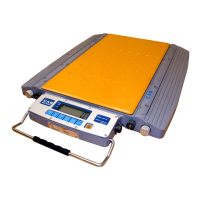
Road Weigher
▩▩▩▩▩▩▩▩▩▩▩▩▩▩▩▩▩▩▩▩▩▩▩▩▩▩▩▩▩▩▩▩▩▩▩▩▩▩▩▩▩▩▩▩▩
- 12 -
T
T
E
E
S
S
T
T
2
2
REF 1. Program is automatically shifted to menu selection mode after completing
T
T
E
E
S
S
T
T
3
3
REF 1. Check whether digital value is changing
If the digital value is fixed or zero is displayed, please check the
connection of the load cell.
T
T
E
E
S
S
T
T
4
4
REF 1 Do this test after the connection between serial port of computer and
serial port of indicator
REF 2 Send no. 1 in computer keyboard and check if indicator receive no. 1
Send no. 1 in indicator keyboard and check if computer receive no. 1
FUNCTION : LCD display test
KEY LCD DISPLAY DESCRIPTION
tESt2
88888
Test 2 condition
Test 2 is
erformed automaticall
.
FUNCTION : Load cell test and A/D conversion
KEY LCD DISPLAY DESCRIPTION
LIGHT key:
Next menu
tESt3
5500
Test 3 condition
Display digital value of current
weight This value means converted
digital value.
FUNCTION : Serial interface test
KEY LCD DISPLAY DESCRIPTION
LIGHT key : Next menu
Other key :
Perform Test
tESt4
0---0
0---1
13--01
Test 4 condition
Wait for transmission and reception
transmit : 1, Receive : none
transmit : 1, Receive : 13



 To Next Page
 Loading...