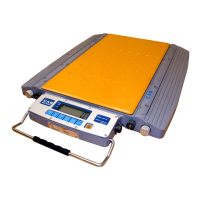
Road Weigher
▩▩▩▩▩▩▩▩▩▩▩▩▩▩▩▩▩▩▩▩▩▩▩▩▩▩▩▩▩▩▩▩▩▩▩▩▩▩▩▩▩▩▩▩▩
- 30 -
12. Calibration Mode & Gravity Compensation
◆ Calibration Mode
(1) HOW TO ENTER
Open the front cover of RW and Press the "ON/OFF" key while pressing the
CAL s/w on the Display PCB.
Press
key when displayed "- - -" and CAL mode starts
(2) AVAILABLE KEYS
Key : Move to the left by 1 place of the set value.
Key
:Increase the first place set value to 1
Key : Move into next menu.
(3) Calibration Menu(CAL 1 - CAL 5)
CAL 1 : Maximum capacity setting
CAL 2 : Minimum division setting
CAL 3 : Span weight setting
CAL 4 : Zero calibration
CAL 5 : Span calibration
C
C
A
A
L
L
1
1
REF 1. The maximum capa. means the maximum weight that scale can measure.
C
C
A
A
L
L
2
2
FUNCTION : Maximum Capacity SET
RANGE ---> 1 ∼ 99,999 k
/lb
KEY LCD DISPLAY DESCRIPTION
▲: Increase of no.
◀: Shift of digit
LIGHT : Store and
move into next menu
CAL 1
100
10000
CAL 1 condition
100 kg/lb
10000 kg/lb



 To Next Page
 Loading...