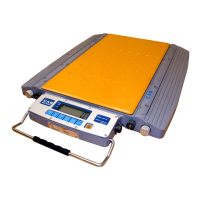
Road Weigher
▩▩▩▩▩▩▩▩▩▩▩▩▩▩▩▩▩▩▩▩▩▩▩▩▩▩▩▩▩▩▩▩▩▩▩▩▩▩▩▩▩▩▩▩▩
- 33 -
◆
Gravity
Compensation
(1) HOW TO ENTER
Open the front cover of RW and Press the "ON/OFF" key while pressing the
CAL s/w on the Display PCB.
press
key when displayed "- - -". then Gravity mode starts.
* F15 = 1 : Gravity enable
(2) AVAILABLE KEYS
Key : Move to the left by 1 place of the set value.
Key
:Increase the first place set value to 1
Key : Move into next menu.
FUNCTION : Gravity setting
RANGE ---> 9700~9900
KEY LCD DISPLAY DESCRIPTION
▲: Increase of no.
◀: Shift of digit
LIGHT : Store and
move into next menu
GRAV1
9798
GRAV2
9812
Gravity constant in the calibration
it means 9.798 ㎨
Gravity constant in the work place
it means 9.812 ㎨



 To Next Page
 Loading...