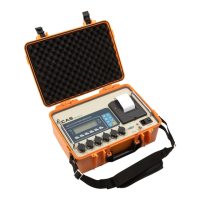
Road Weigher
▩▩▩▩▩▩▩▩▩▩▩▩▩▩▩▩▩▩▩▩▩▩▩▩▩▩▩▩▩▩▩▩▩▩▩▩▩▩
- 20 -
C
C
A
A
L
L
4
4
REF 1. If Zero calibration is done without any error, GOOD message is displayed
and program moves into CAL 5 automatically.
C
C
A
A
L
L
5
5
REF 1. If Span calibration is done without any error, GOOD message is displayed
The weight of setting weight is displayed on LCD screen.
Check the weight.
REF 2. If the span is low, Error message (ERR 24) is displayed.
Calibrate with lower resolution.
FUNCTION
: Zero Calibration
KEY LCD DISPLAY DESCRIPTION
LIGHT:
Zero calibration and
Move into next menu.
CAL 4
ULoAd
- - -
GOOD
CAL 4 condition
Unload the tray and press ENTER
Under zero calibration
Zero calibration is completed.
FUNCTION : Span Calibration
KEY LED DISPLAY DESCRIPTION
LIGHT:
Span calibration and
Move into next menu.
CAL 5
LoAd
- - -
GOOD
CAL 5 condition
Load the weight which was set in
CAL 3 and press LIGHT.
Under span calibration.
Span calibration is completed.
Press LIGHT key.
(Save & Exit CAL Mode)


 To Next Page
 Loading...