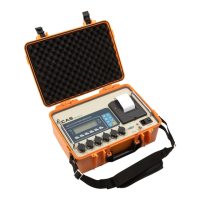
Road Weigher
▩▩▩▩▩▩▩▩▩▩▩▩▩▩▩▩▩▩▩▩▩▩▩▩▩▩▩▩▩▩▩▩▩▩▩▩▩▩
- 11 -
7. Test Mode
(1) HOW TO ENTER
Press the "ON/OFF" key while pressing the
key and TEST menu starts.
(2) AVAILABLE KEYS
Key : Move to the left by 1 place of the set value.
Key
: Increase the first place set value to 1
Key : Move into next menu.
(3) Test Menu(TEST 1 - TEST 5)
Test 1 : Key test
Test 2 : LCD display test
Test 3 : Load cell test and A/D conversion test
Test 4 : Serial interface test(RS-232)
Test 5 : Printer test
T
T
E
E
S
S
T
T
1
1
< Key Code >
FUNCTION : Key test
KEY LCD DISPLAY DESCRIPTION
LIGHT key :
Next menu
Other key :
Perform test
tESt1
1
Test 1 condition
Press the key to be test and the no.
and code of the key is displayed.
key CODE KEY CODE KEY CODE
ZERO 6 * 5 PRINT 4
TOTAL PRINT 3 LOCAL PRINT 2 LIGHT 1


 To Next Page
 Loading...