87
E550 - E550 CR - E550 PM - E550 PM CR Automatic Single-Side Edgebander Rel. 1.1.1
3.10 CORNER ROUNDING UNIT (E550 CR - E550 PM CR)
Description of unit
The corner rounding unit is composed of a high-frequency motor rotating at a speed of 12,000 rpm, on
which a long-life diamond cutterhead is mounted, removing the edge to create a radius of 2 mm on corners
and ends after trimming.
Settings are pre-adjusted in the factory to ensure correct corner rounding operations, and require no further
adjustments for different edge thicknesses.
Operation
The motor of the unit is moved on a system of guides by pneumatic pistons. When a panel approaches the
tool, the work cycle will start if the unit has been enabled with buttons 2 and 8.
ATTENTION: do not use the corner rounder on the 1st and 2nd side of panel, if the front and rear side has
not yet been edged.
Settings for the unit from the control panel
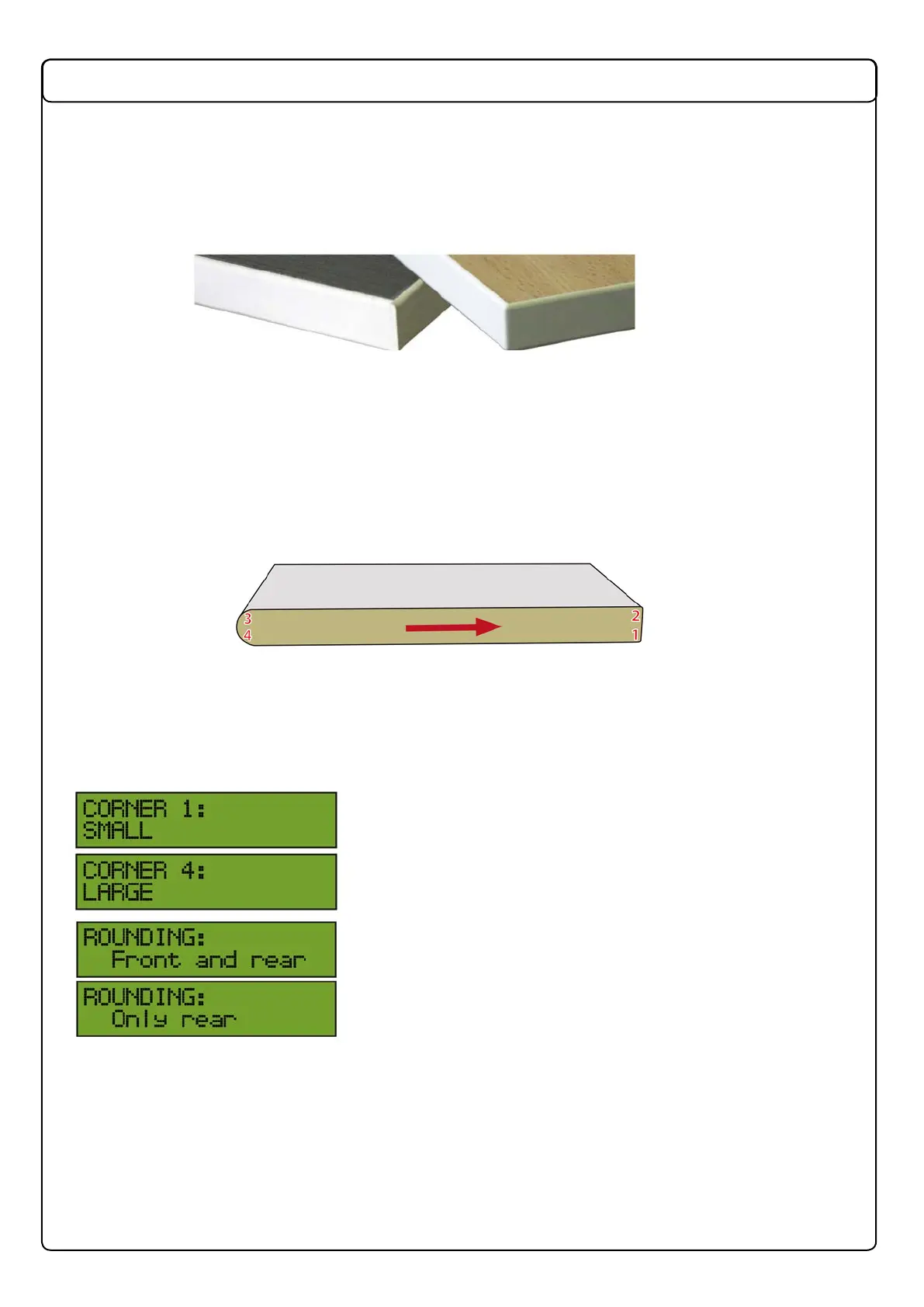
In the following instructions, corners are numbered from 1 to 4, as shown in this diagram:
The arrow shows the direction of panel movement seen from the side of the operating units (Fig. 3.10).
After activation with button 2, the default geometry is the small radius of 2 mm on all four corners.
NOTE: For panels with a radius greater than 2 mm, remember if necessary to set the offset of the
panel front and rear microswitch to avoid the incorrect reading of the panel to be worked.
To change this setting, proceed as follows:
Keep button 2 pressed down for a few seconds. The rst option
available is the choice between the small or large radius on
corner 1.
Charge this setting with + or - and conrm the choice with button
A. Continue with corners 2, 3 and 4.
ARROTONDATURA:oda
When the choice for corner 4 has been conrmed, a request is
made to choose between rounding of the front, rear or both.
Conrmation can be given only from this screen, then exiting
from the menu by pressing button 2 again.
Settings will be stored and are always recalled when the corner rounding unit is activated, until the
machine is turned off.
The default settings are for a small radius at the front and rear.
The maximum heights that can be worked with are as follows:
H45 with top and bottom corners with R≤5 mm
H40 with at least 1 top or bottom corner with R>5 mm
H30 with at least 2 top and bottom corners with R>5 mm or with a bevel.
NOTE: Knob P must be used only after tool changes. Do not turn it for any other reason.



 To Next Page