218305557-R2
ADVANCED WEIGHING OPERATIONS
FK0771.eps
Piece Count (Sampling Method)
This mode uses the sampling method to determine the
average piece weight (APW) of a load that requires
counting. First, a sample weight is taken and then the load
is measured.
Verify that the "F 30" parameter setting is "3". Refer to the
Appendix section to verify and/or change the parameter
setting.
NOTE: Piece counting (sampling) is not approved for legal
for trade models.
NOTE: To program APW presets (up to six), refer to the
Appendix section, "Programming Preset Average Piece
Weight (APW) Values".
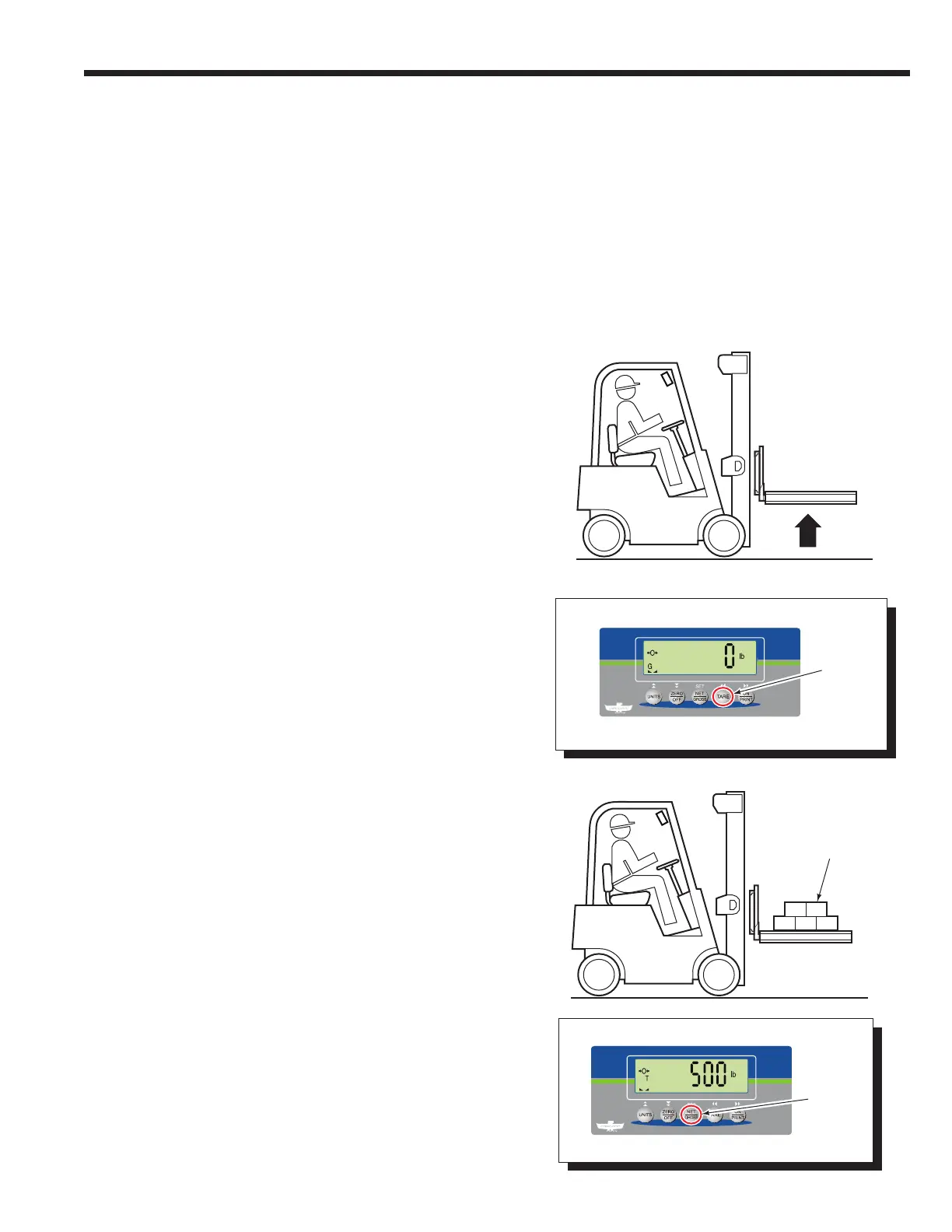
5 Add the sample pieces onto the pallet (or into bin).
6 Press "NET/GROSS" button.
4 Press the "TARE" button.
3 Position an empty pallet (or bin) on the forks. Raise the
forks and pallet (or bin).
2 Determine the number of pieces to be sampled.
NOTE: The default setting is set to 5 pieces.
1 If required, change parameter setting "F 30" to "3". Refer
to the Appendix section, "Advanced Weighing Options".
4
5
3
6



 To Next Page