158305557-R2
USING THE WEIGH SYSTEM
FK0554.eps
6
7 8
5
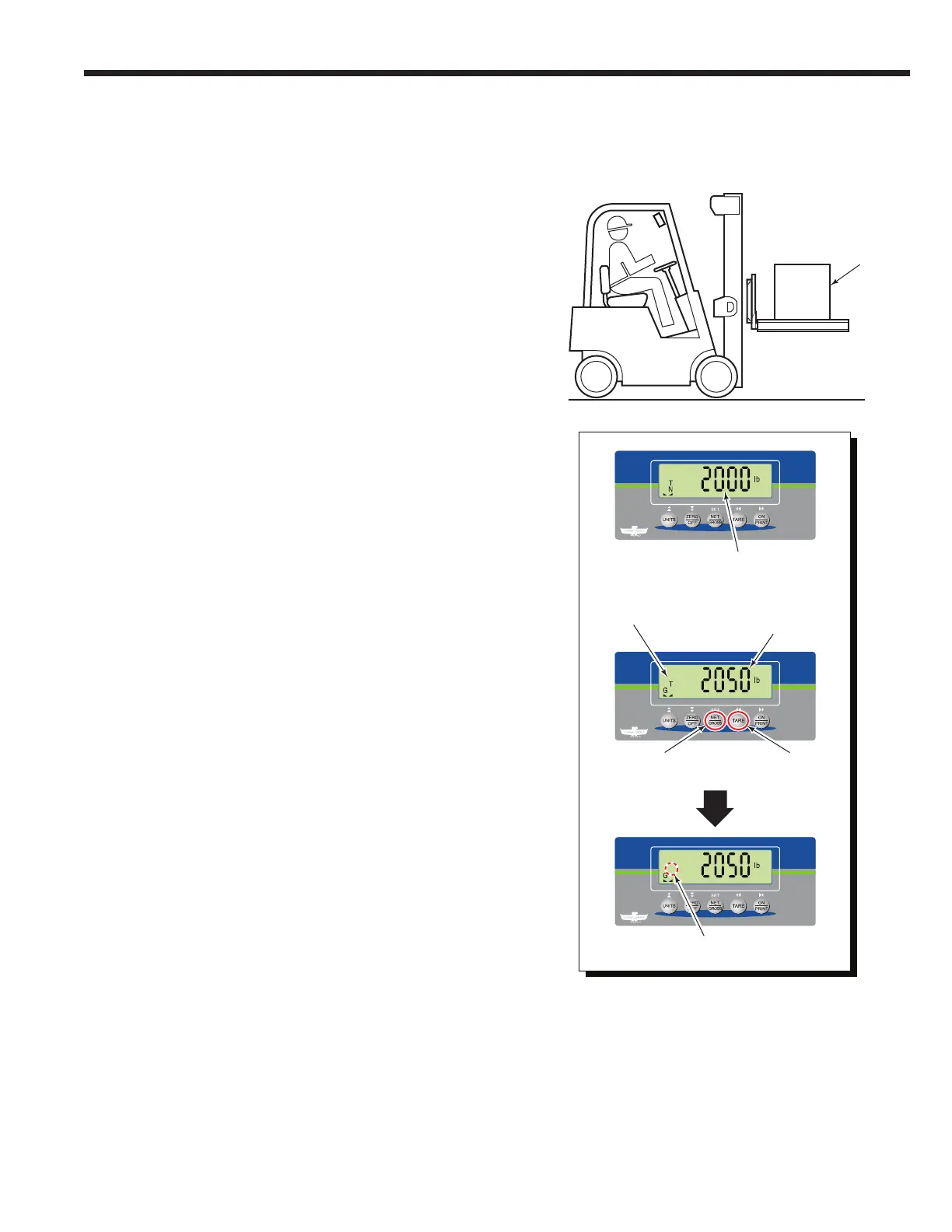
6 The indicator will show the load's weight (Net weight).
7 To view the Gross weight (Tare weight + Net weight),
press the "NET/GROSS" button.
NOTE: If piece count is enabled, the "NET/GROSS"
button is not available.
8 To clear the current Tare weight value, press the "TARE"
button. The indicator will return to Gross weighing
mode.
5 Add a load onto the forks.
Load
"N" icon disappears
and "G" icon appears
"T" icon disappears
Gross Weight
Obtaining Net/Tare/Gross Weight
Unknown Tare Weight Method (Continued)



 To Next Page