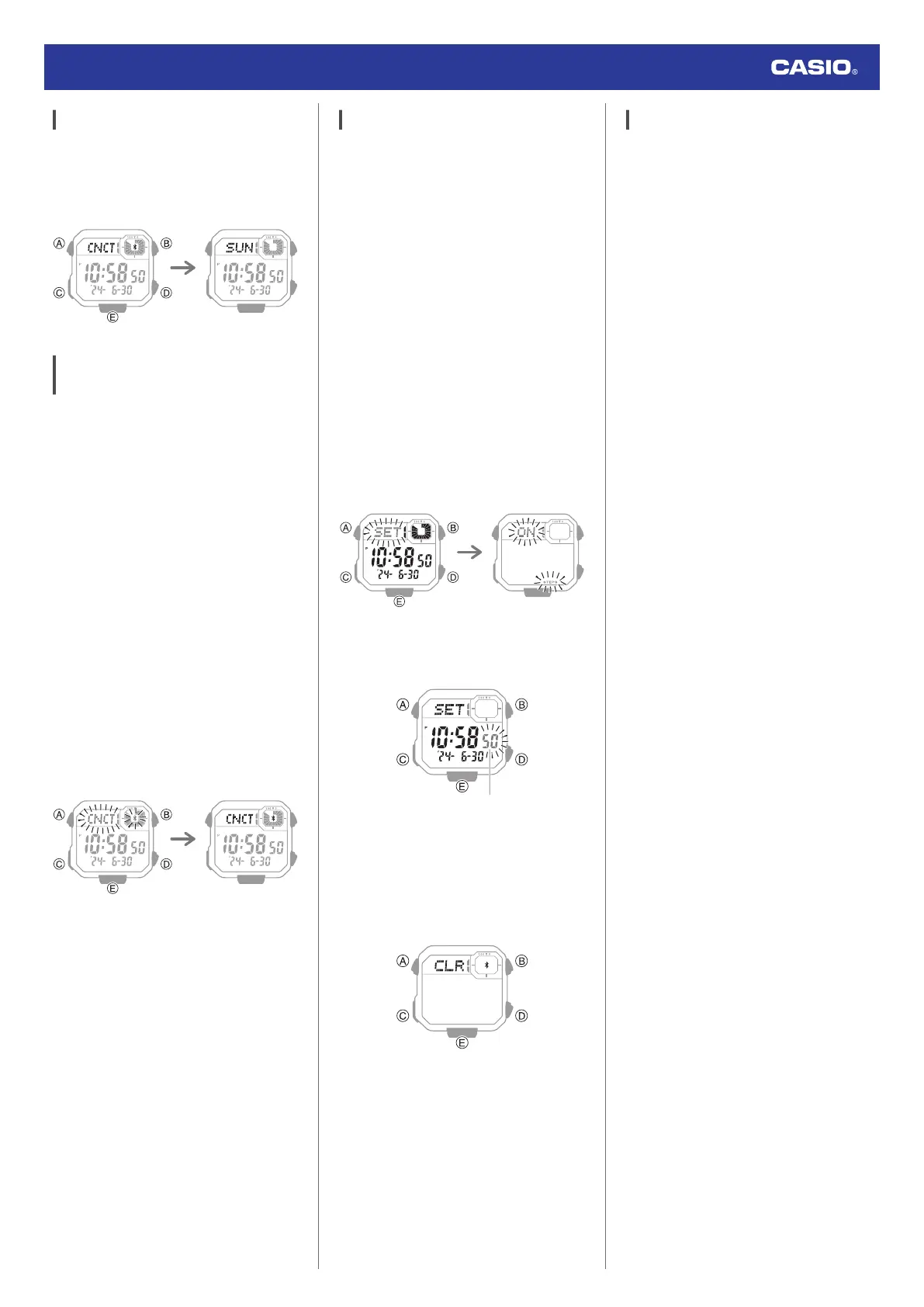
Disconnecting from Your Phone
Pressing any button besides (B) terminates
the Bluetooth connection and returns to the
Timekeeping Mode.
Using the Watch in a Medical Facility
or Aircraft
Whenever you are in a hospital, on an aircraft,
or in any other location where connection with
a phone may cause problems, you can
perform the procedure below to disable auto
time correction. To re-enable auto time
correction, perform the same operation again.
1.
Y
Tap the “CASIO WATCHES” icon.
2.
X
Hold down (C) for at least three
seconds. Release the button when
e
and
[CNCT] start to flash.
●
When a connection is established
between the watch and phone,
e
and
[CNCT] will stop flashing and remain on
the display.
●
If connection fails for some reason,
[ERR] will appear on the display
momentarily and then the watch will
return to the Timekeeping Mode.
Trying to connect Connected
3.
Y
Perform the operation shown on the
phone screen to enable or disable auto
time correction.
Unpairing
Unpairing the watch from a phone requires
both the CASIO WATCHES phone app and
watch operations.
●
Deleting Pairing Information from the
CASIO WATCHES phone app
1.
Y
Tap the “CASIO WATCHES” icon.
2.
Y
Perform the operation shown on the
phone screen to unpair.
●
Deleting Pairing Information from the
Watch
1.
X
Hold down (C) for at least one second
to enter the Timekeeping Mode.
2. Hold down (A) for at least two seconds.
This causes the current step reminder
setting ([ON] or [OFF]) to flash on the
display.
3.
X
Press (C) twice.
This causes the seconds to flash.
4.
X
Hold down (E) for at least two seconds.
Release when
e
and [CLR] stop flashing.
This deletes the pairing information from
the watch and returns to the timekeeping
display.
5.
X
Press (A) to return to the Timekeeping
Mode.
If you purchase another phone
You need to perform the pairing operation
whenever you want to establish a Bluetooth
connection with a phone for the first time.
l
Deleting Pairing Information from the
Watch
l
C
Pair the watch with a phone.
Watch Operation Guide 3564
15



 To Next Page